

Thrive as a Partner
This article was :
Published in 2025.03.28
Updated in 2025.10.23
You can change the affiliate platform information name and URL you registered when applying to become a business partner on the FXON portal.
However, other business partner information cannot be changed on the FXON portal, so please contact to our support desk.
Please note that we do not accept changes by phone or fax.
1. Merchant Settings
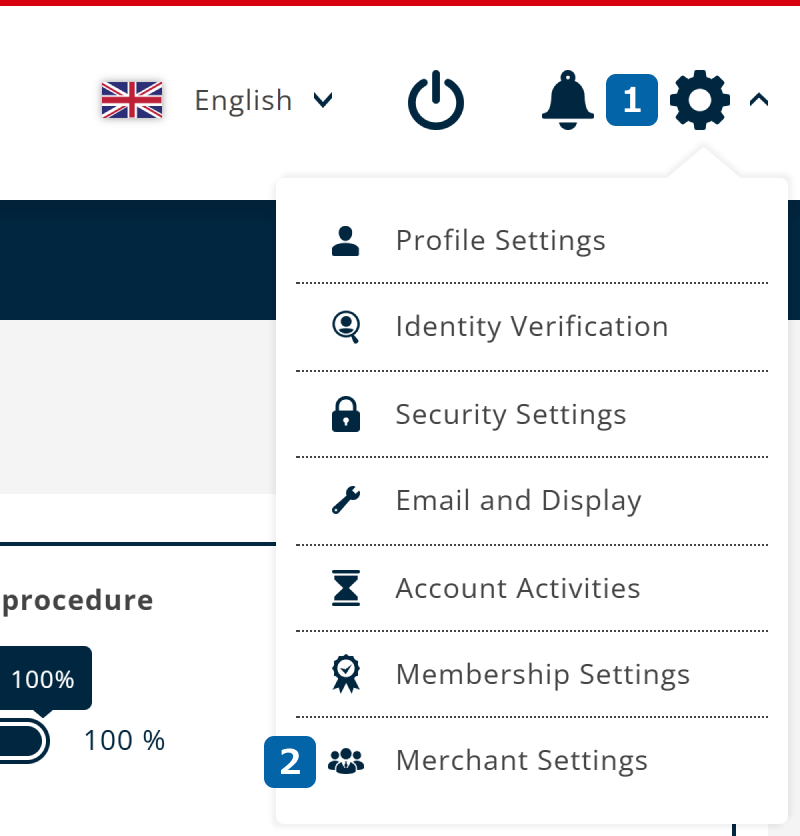
After logging in to the FXON Portal, click (1) Settings icon > (2) Merchant Settings in the top right corner.
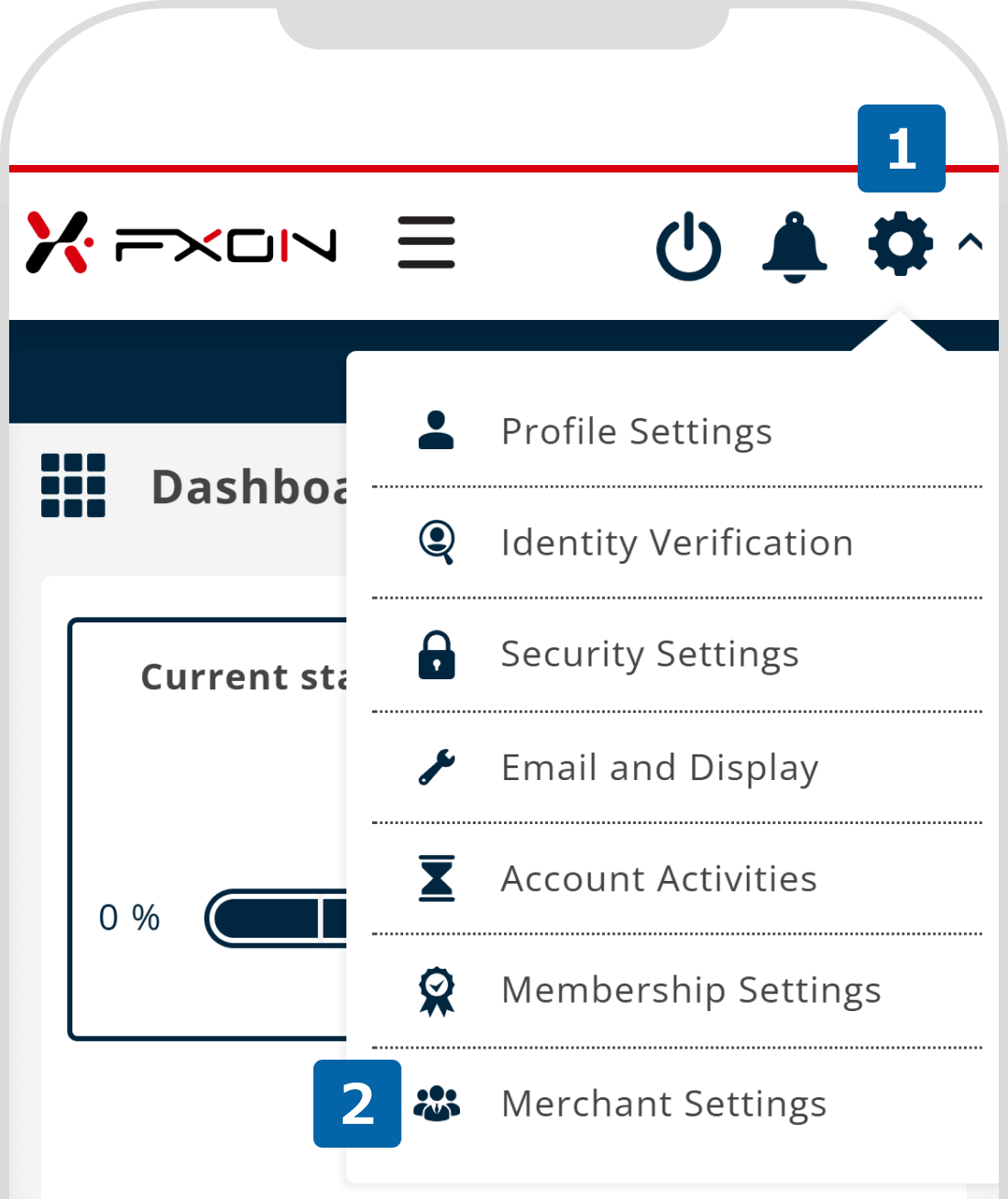
After logging in to the FXON Portal, tap (1) Settings icon > (2) Merchant Settings in the top right corner.
2. Enter new media platform information (i)
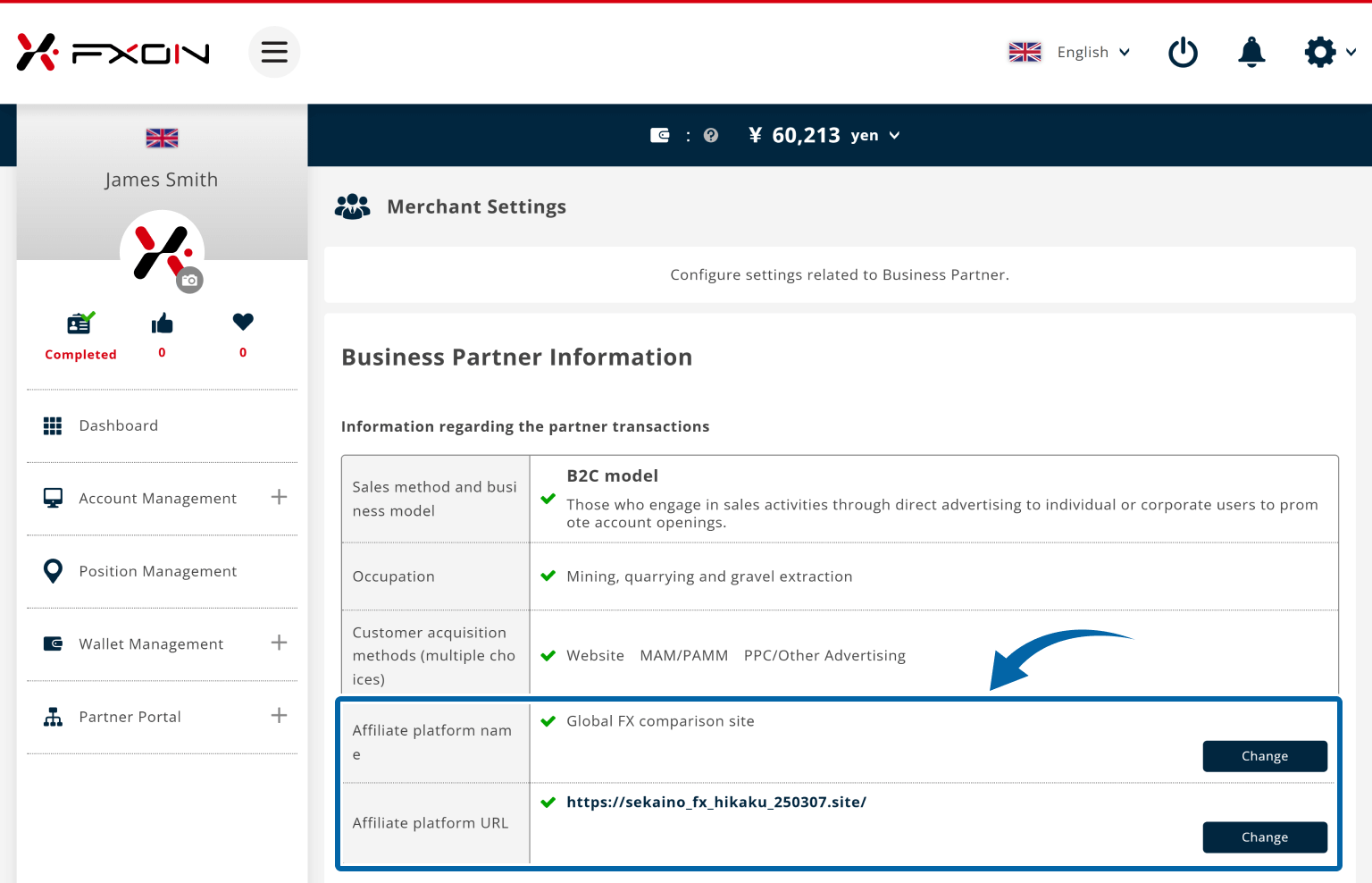
Click on "Change Information" under Information regarding the partner transactions in Business Partner Information.
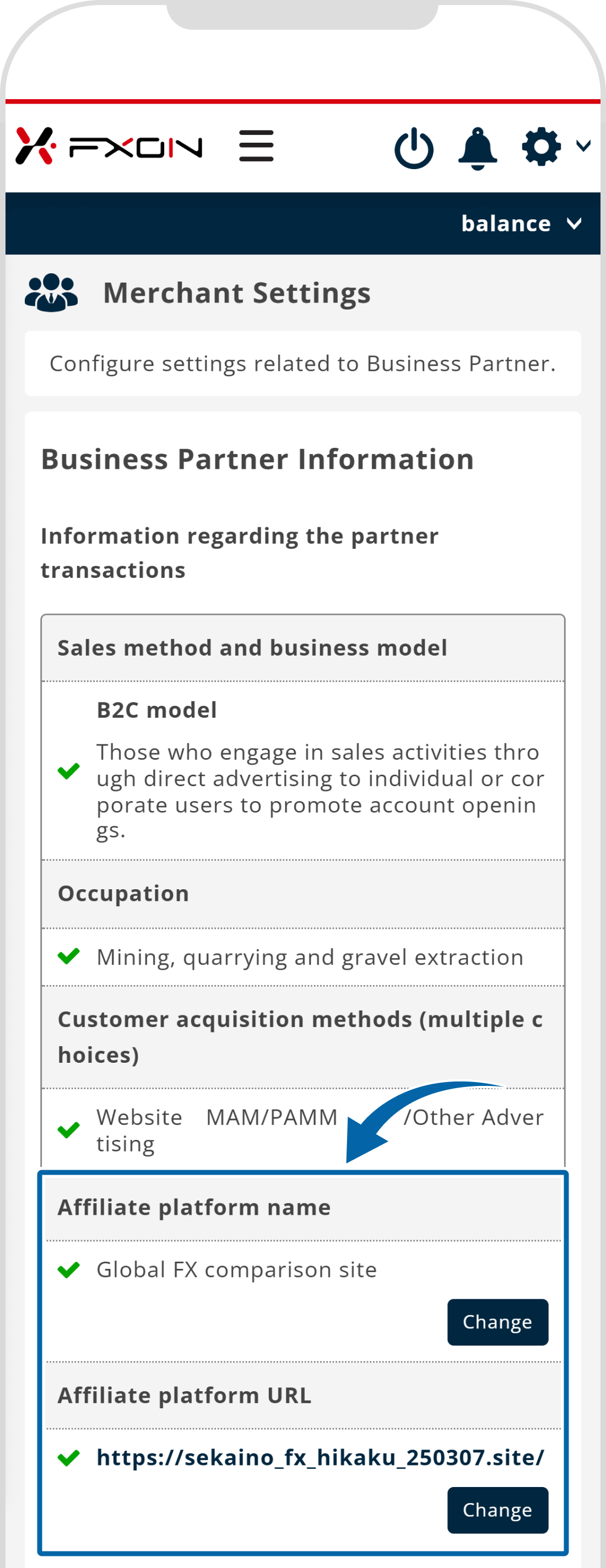
Tap on "Change Information" under Information regarding the partner transactions in Business Partner Information.
3. Enter new media information (ii)
(1) Enter new "Media name" or "URL", (2) and click "Change information". If you want to register multiple media, click the "+" on the right side of the entry field to enter additional media information.
(1) Enter new "Media name" or "URL", (2) and tap "Change information". If you want to register multiple media, tap the "+" under the entry field to enter additional media information.
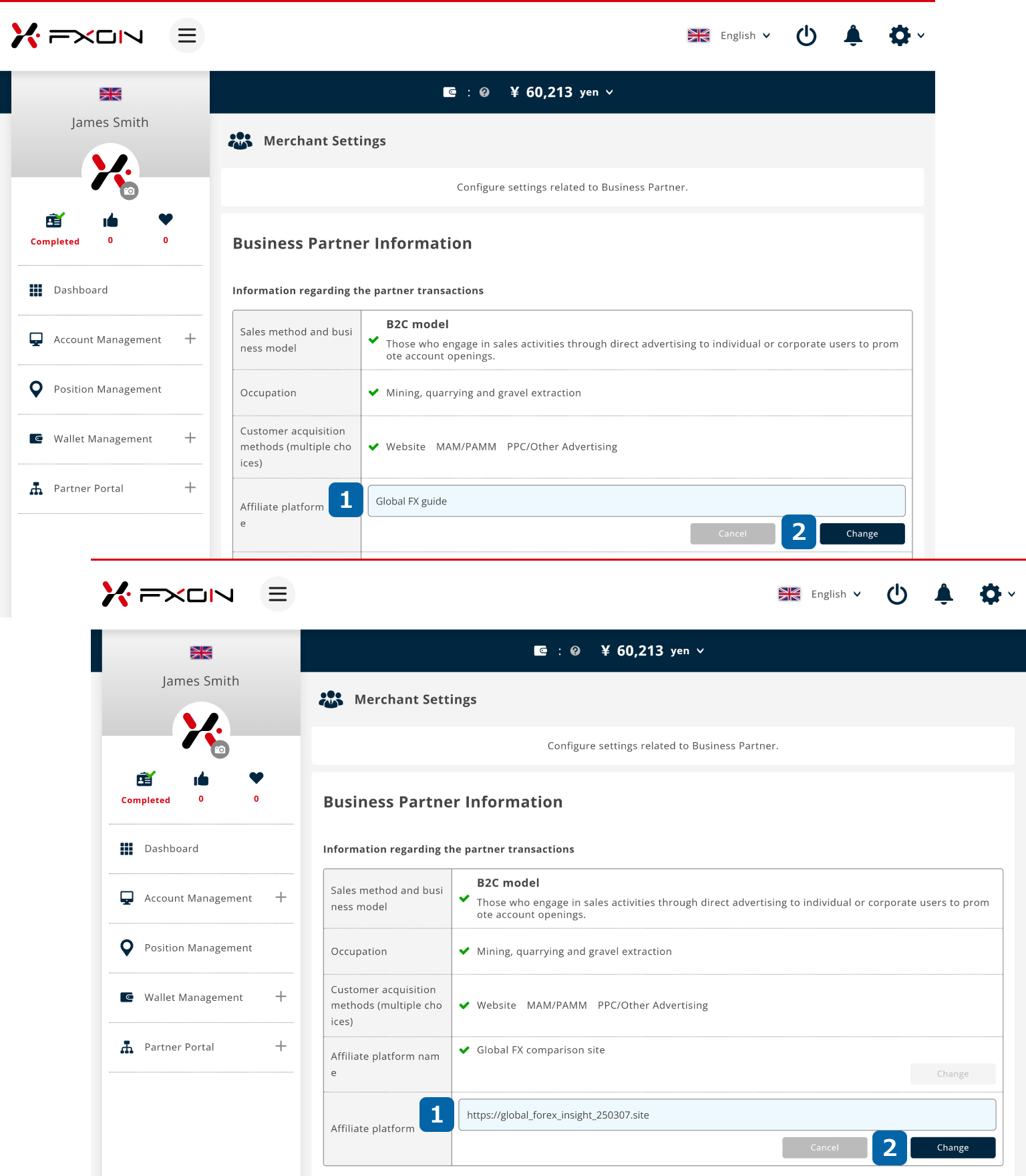
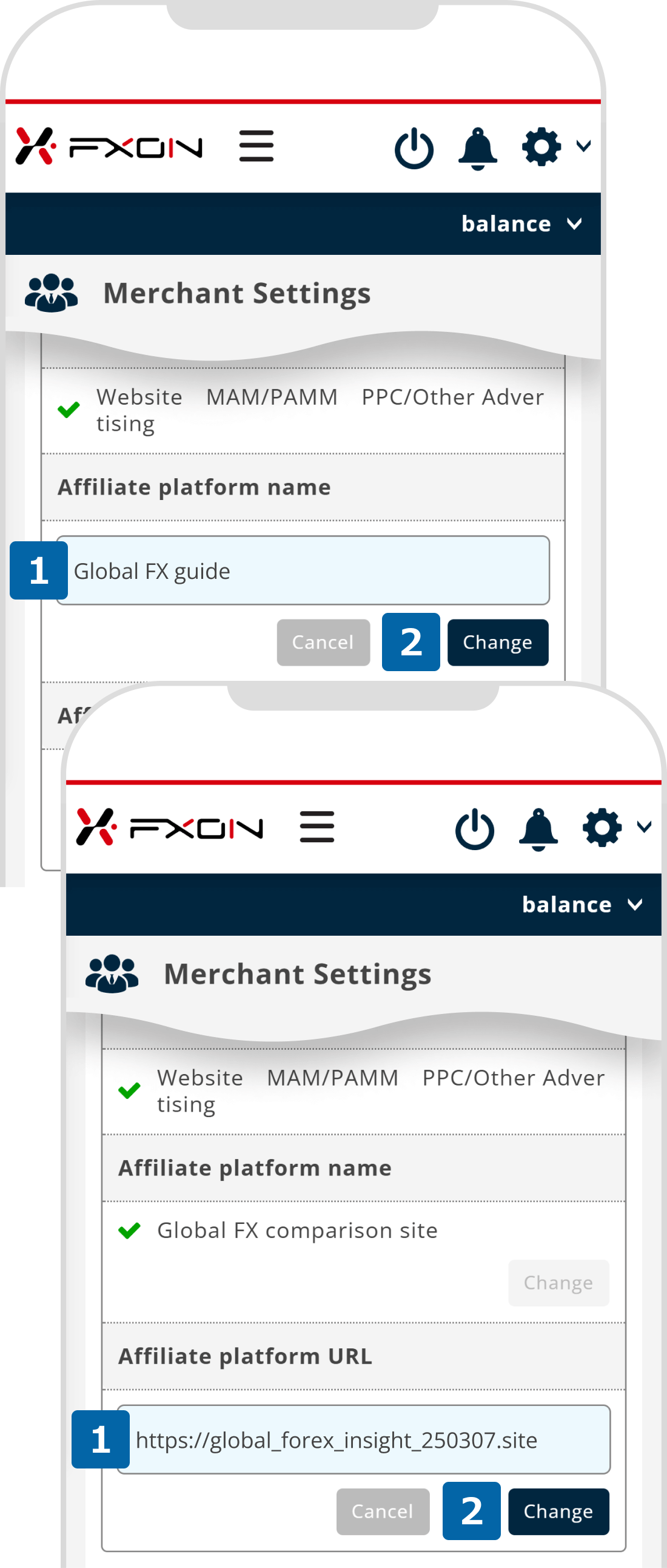
4. Register new media information
Check if it is correct, and click "Change".
Check if it is correct, and tap "Change".
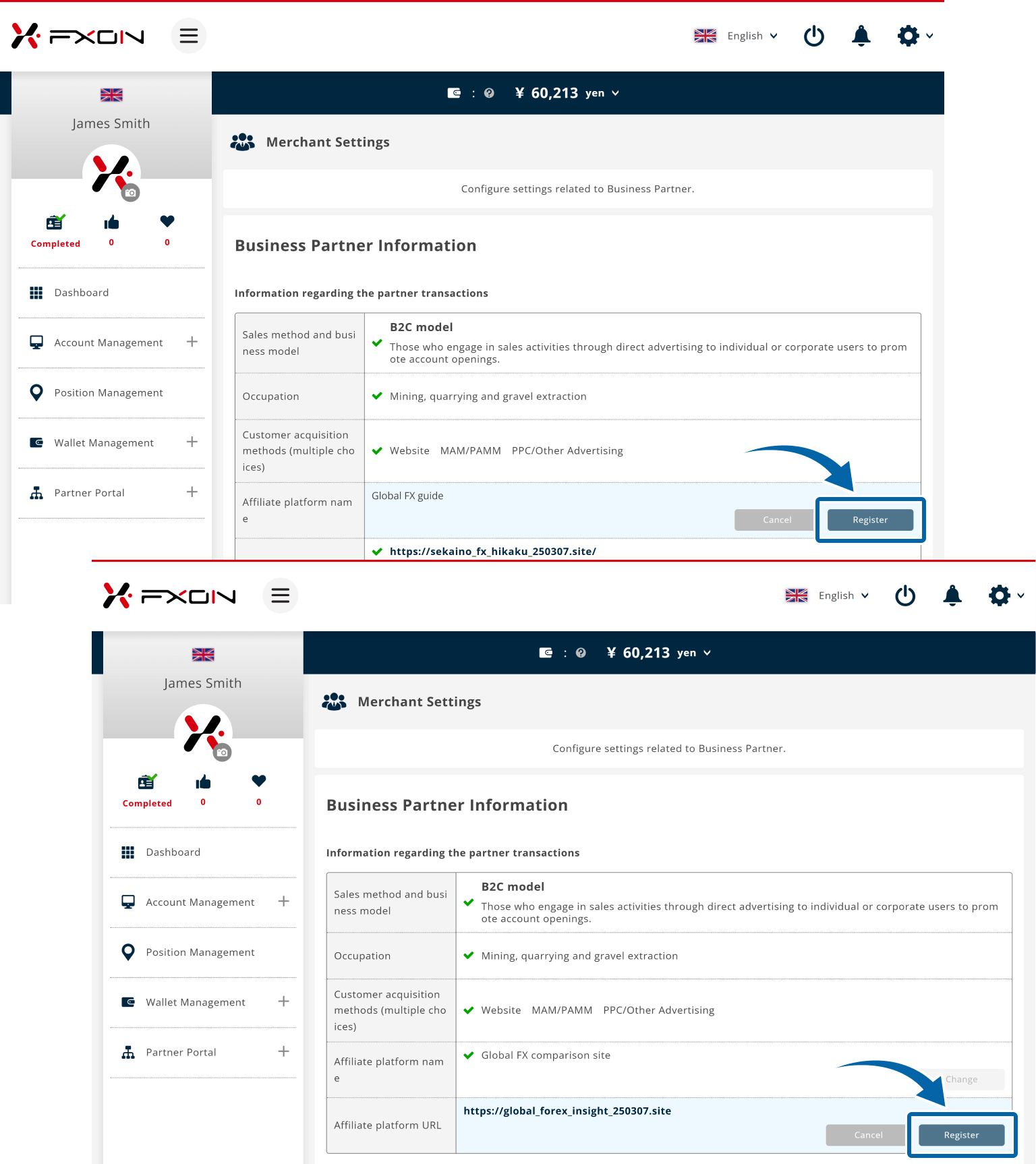
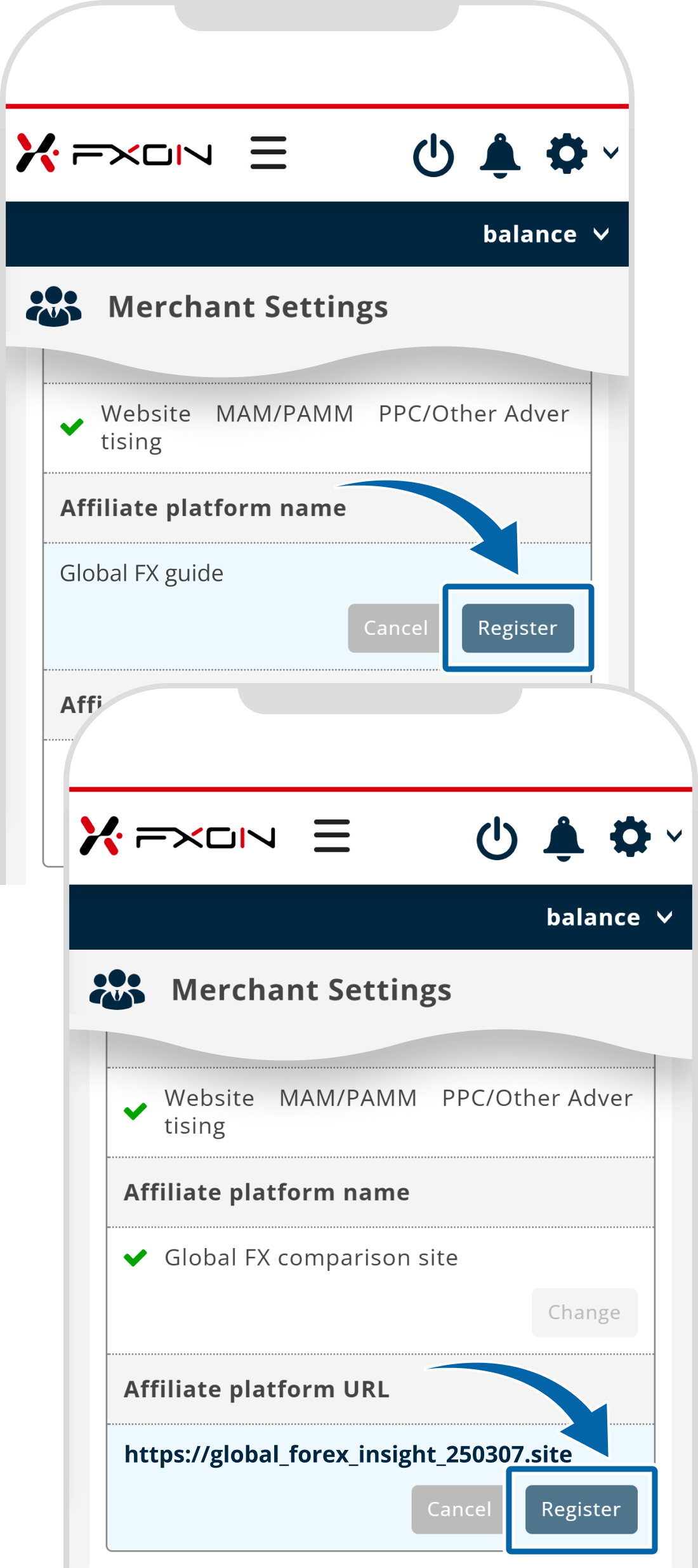
5. Business Partner Information Update Completed
"Information registration is completed!" will be displayed at the top of the screen. Once the updated information appears under "Media Name/URL" in the Business Partner Information section, the pdate process is complete.
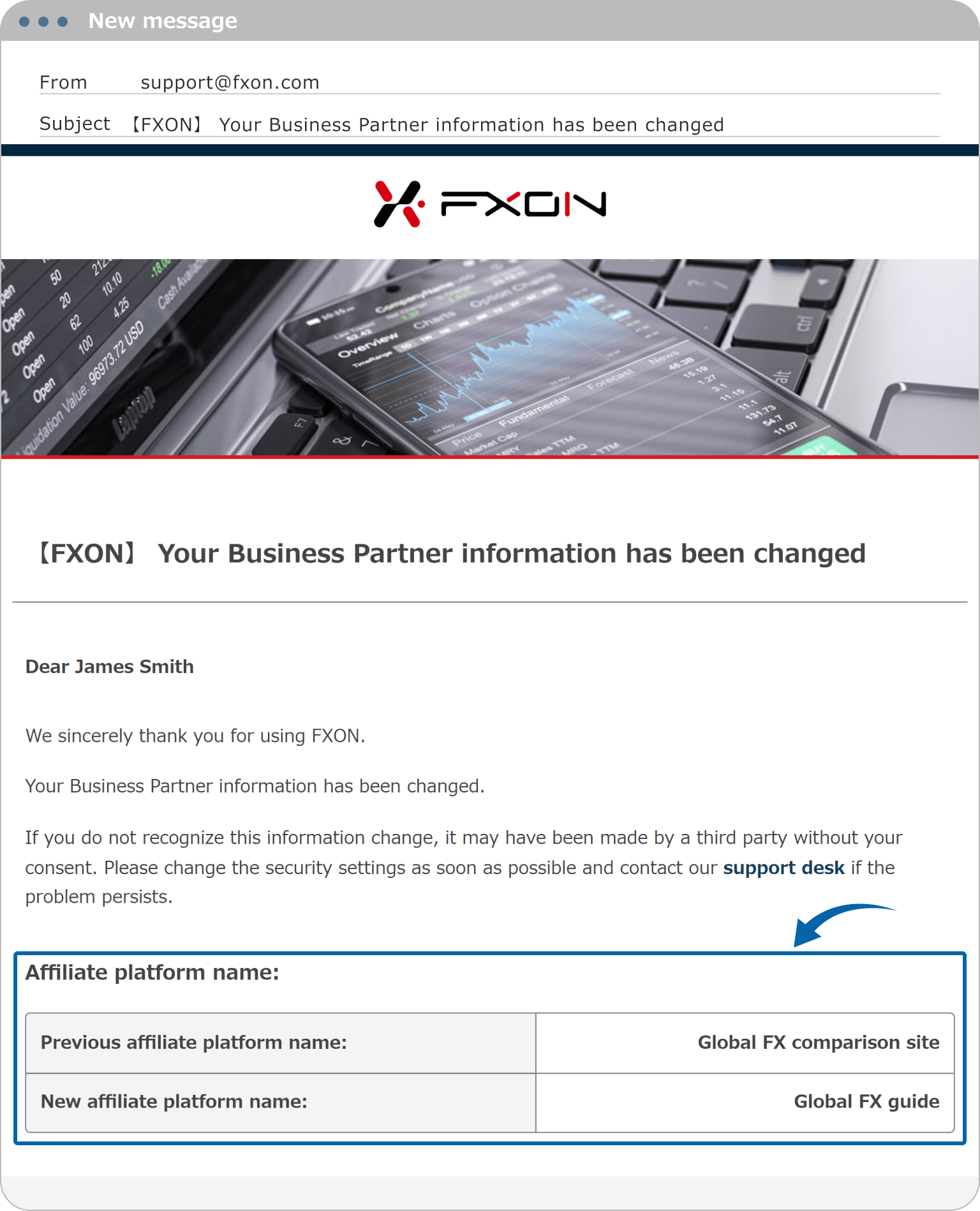
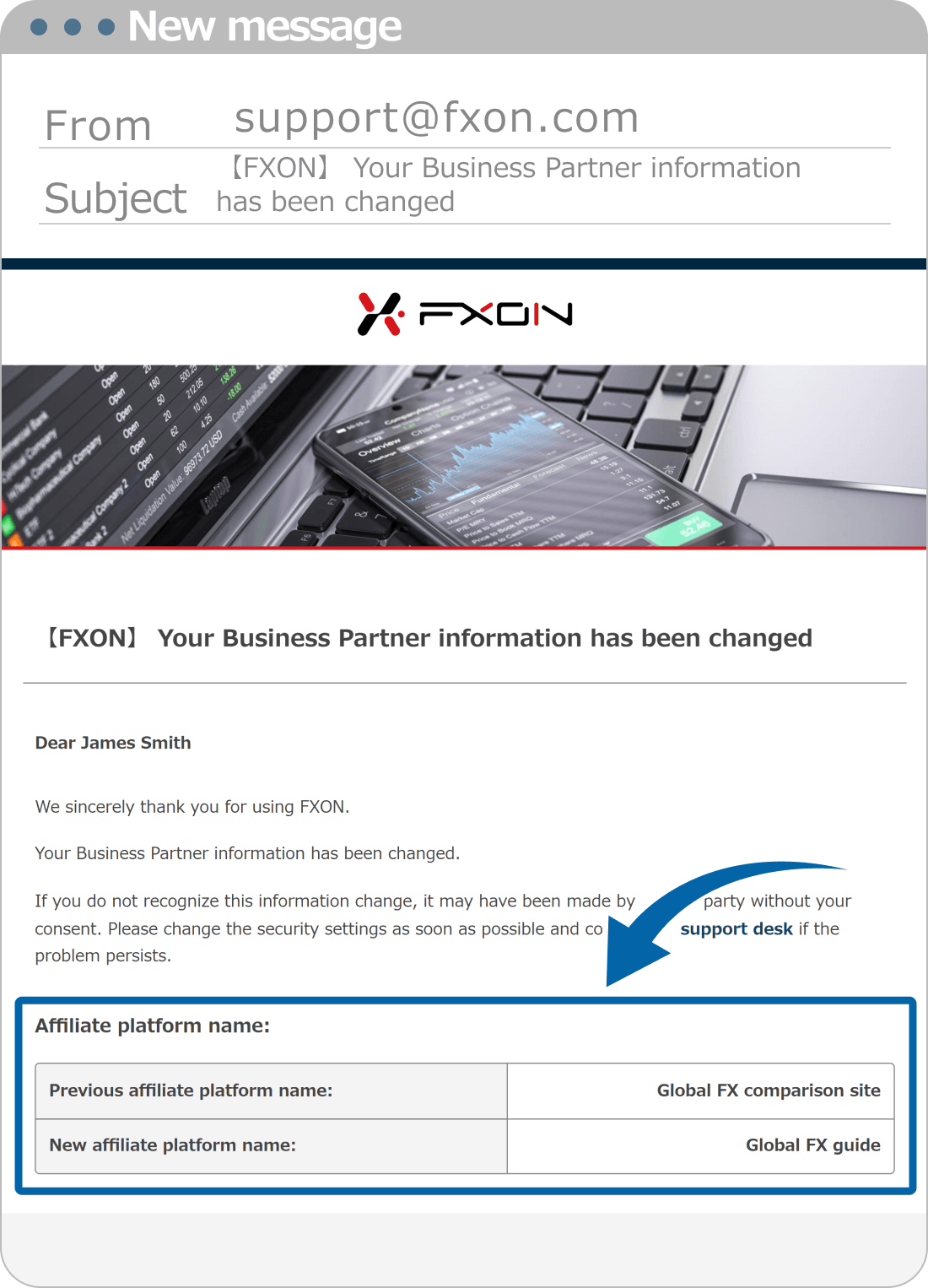
6. Business partner information change notification
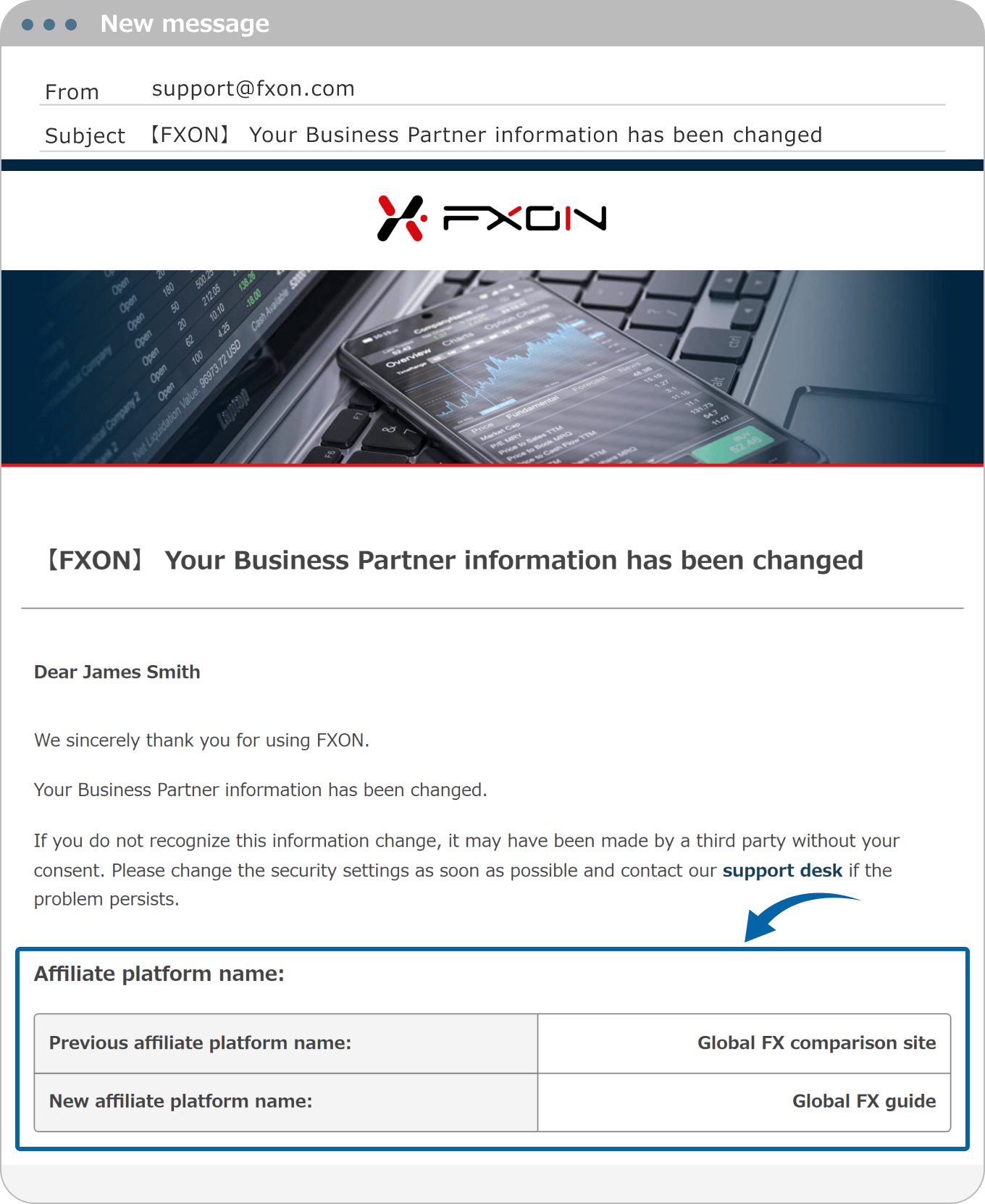
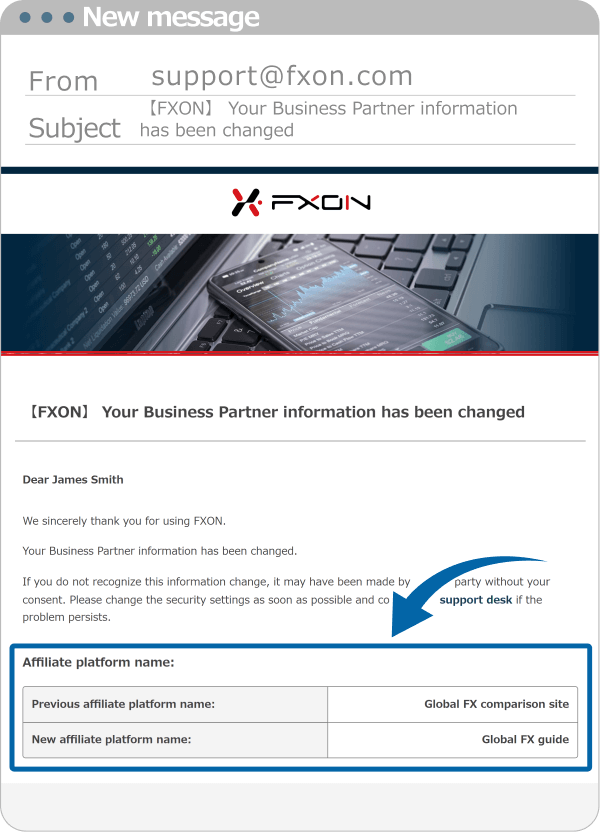
Please check your registered email address for Confirmation Email
Email subject: 【FXON】Your Business Partner information has been changed
Was this article helpful?
That’s Great!
Thank you for your feedback
Sorry! We couldn't be helpful
Thank you for your feedback
Feedback sent
We appreciate your effort and will try to fix the article
0 out of 0 people found this article helpful.
Popular related questions
2025.03.18
The banner is not displaying correctly. What should I do?
2025.01.06
Does the link shared on social media have an expiration date?
2025.01.07
Do I need to provide any identification documents to register for the Business Partner Program?
2025.01.07
How is the partner rebate remuneration calculated?
2025.01.08
How long does it take for a business partner application to be approved?


Search Helpcenter