FXON services will be temporarily suspended due to phased system upgrades and a platform redesign. As functions will be restricted in stages, we kindly ask that you close open positions and withdraw your account funds by March 31. (Details here)
FXON services will be temporarily suspended due to a full platform redesign. We kindly ask that you close open positions and withdraw your account funds by March 31. (Details here)
To change your email address, go to the security settings after logging in to the FXON Portal. A confirmation email will be sent to your new email address. Click the link in the email to complete the change. You cannot change it to an email address that is already in use.
To change your email address, go to the security settings after logging in to the FXON Portal. A confirmation email will be sent to your new email address. Tap the link in the email to complete the change. You cannot change it to an email address that is already in use.
1. Security settings
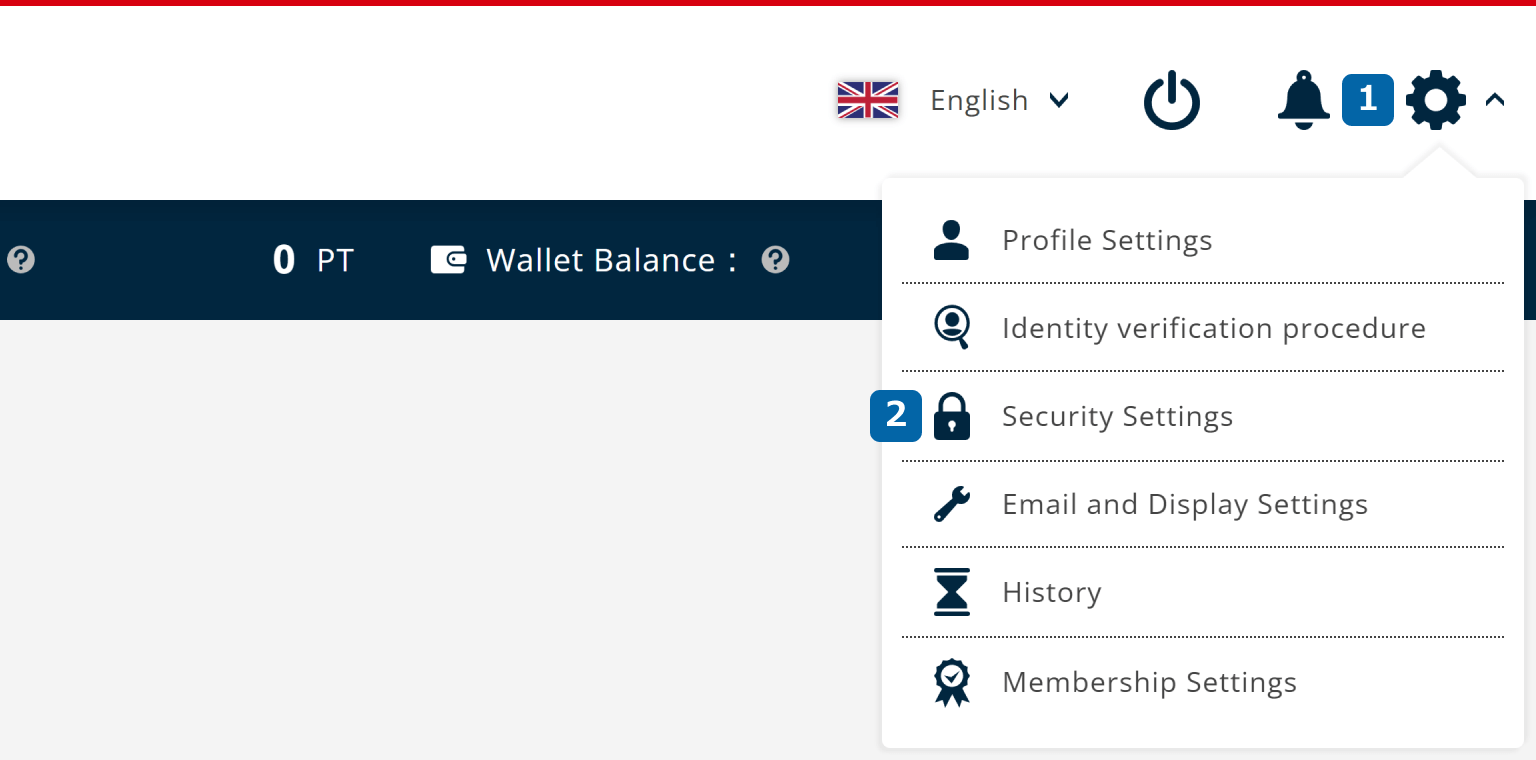
After logging in to the FXON Portal, click (1) Settings icon > (2) Security Settings in the top right corner.
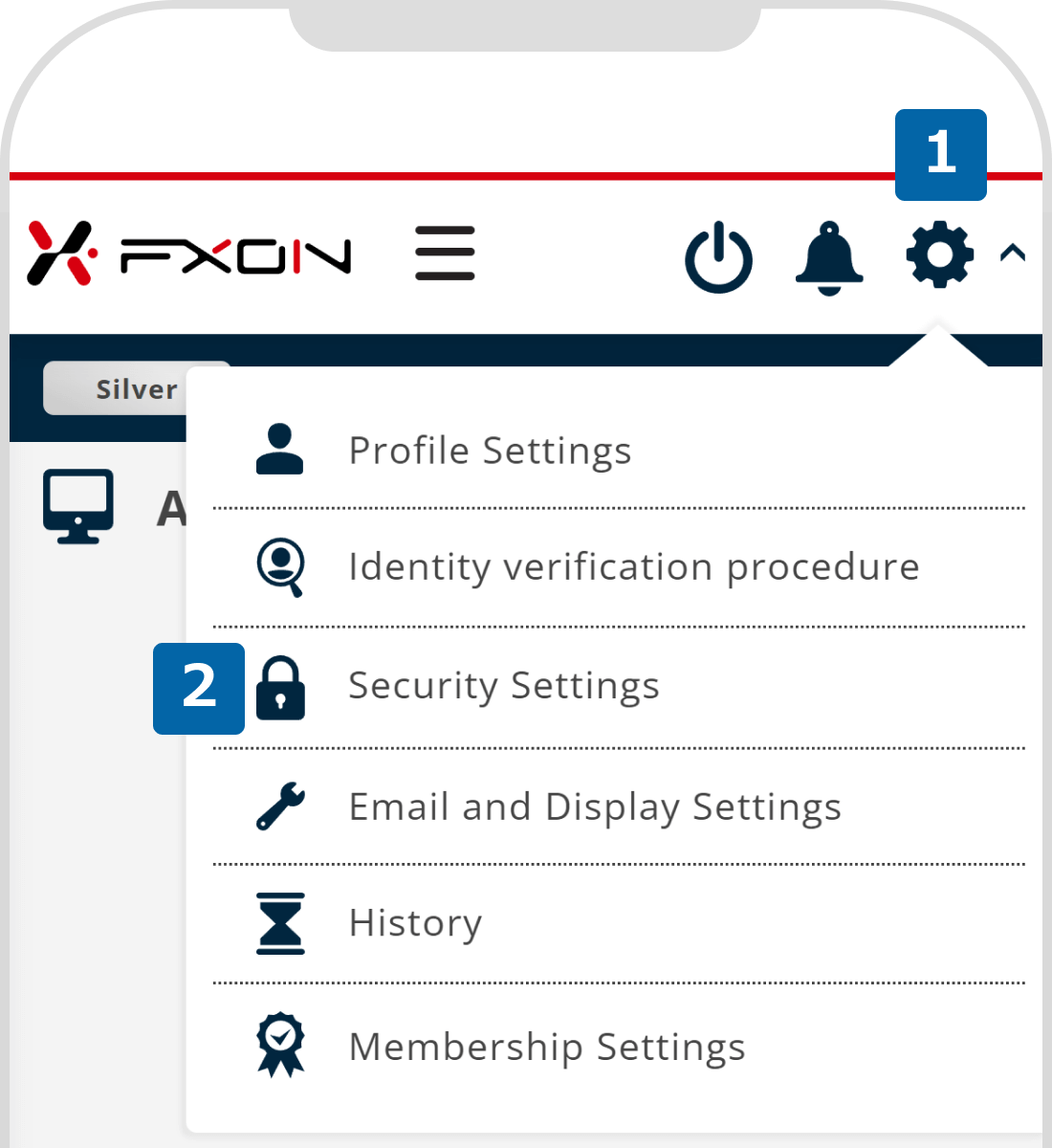
After logging in to the FXON Portal, tap (1) Settings icon > (2) Security Settings in the top right corner.
2. Enter new email address (i)
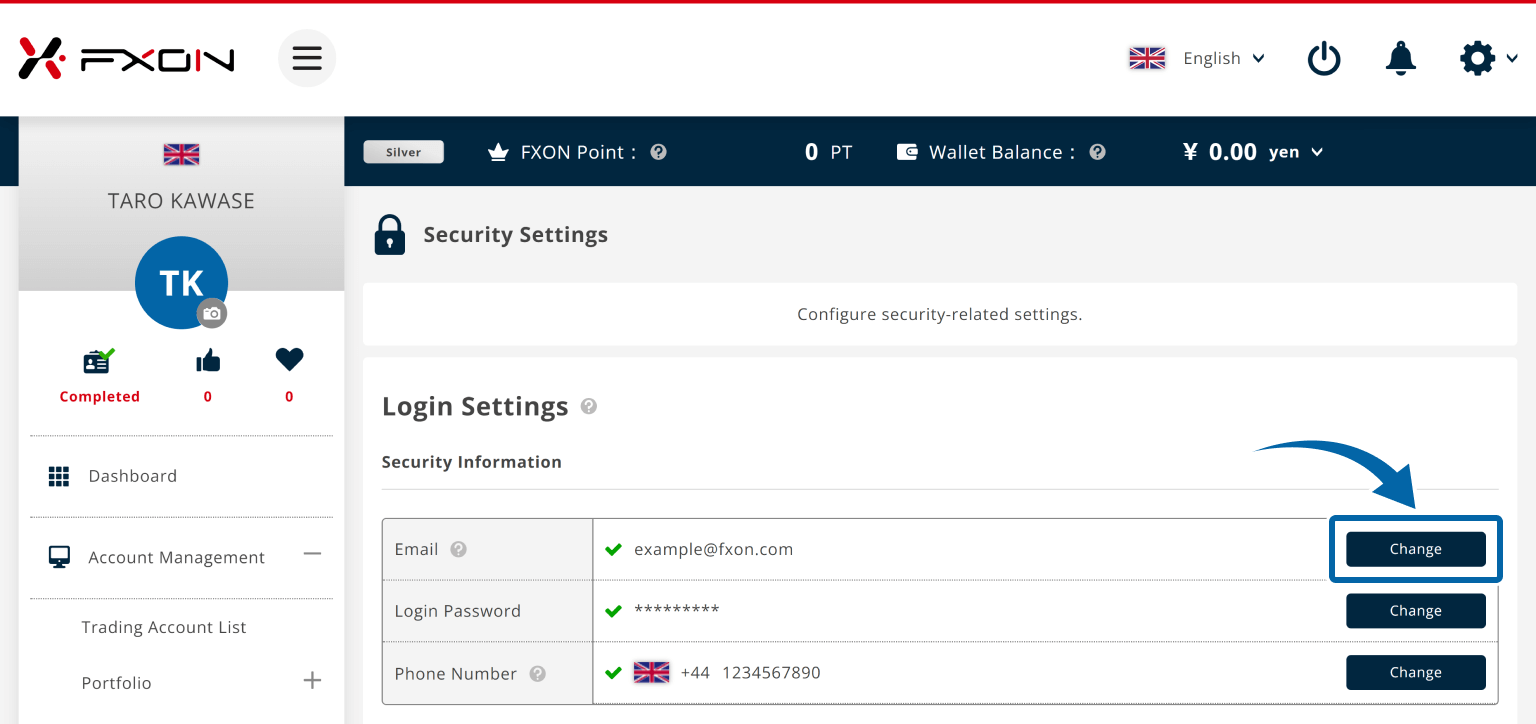
Go to Login Settings > Security Information > Email and click "Change".
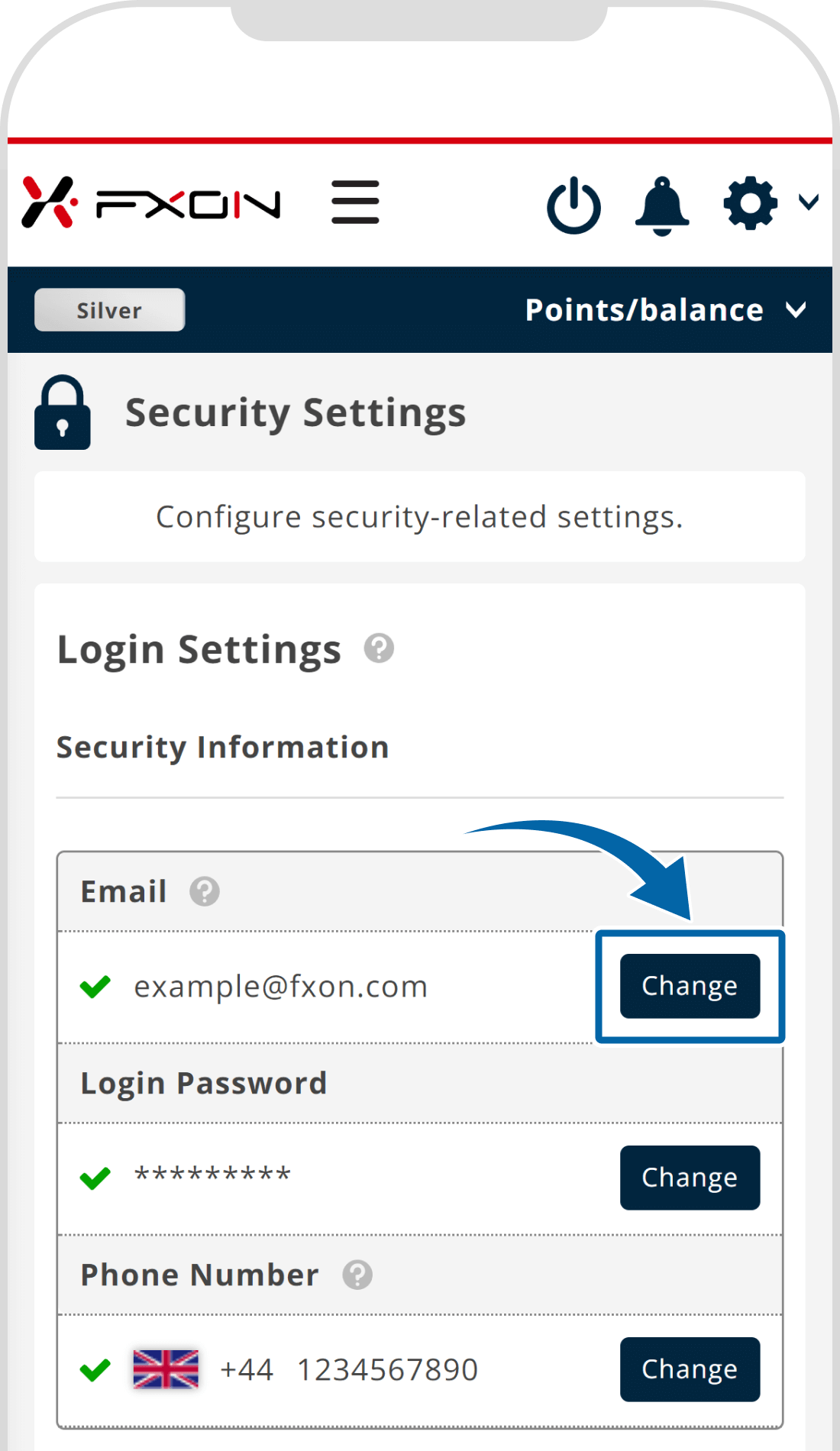
Go to Login Settings > Security Information > Email and tap "Change".
3. Enter new email address (ii)
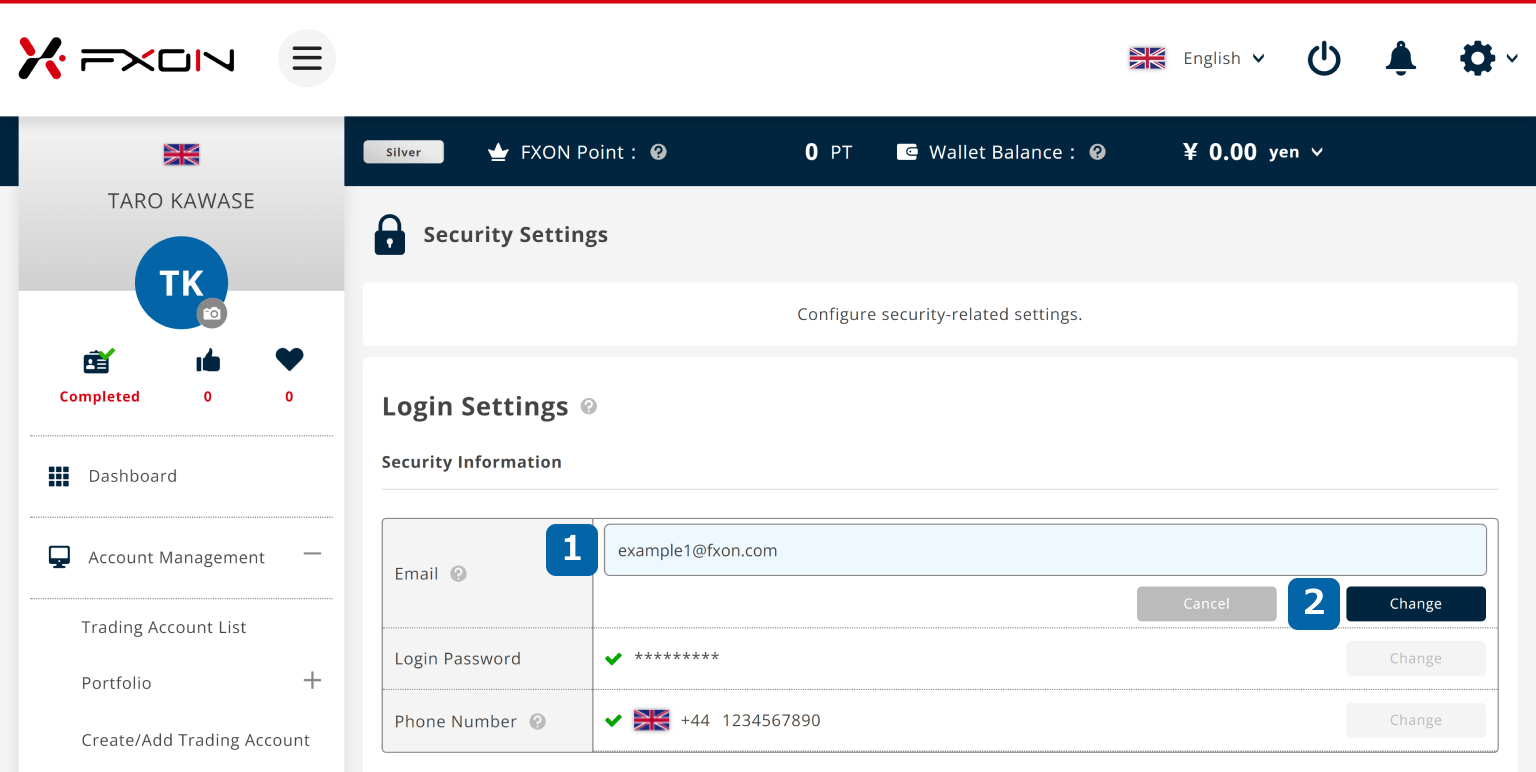
After entering the (1) new email address, click (2) "Change".
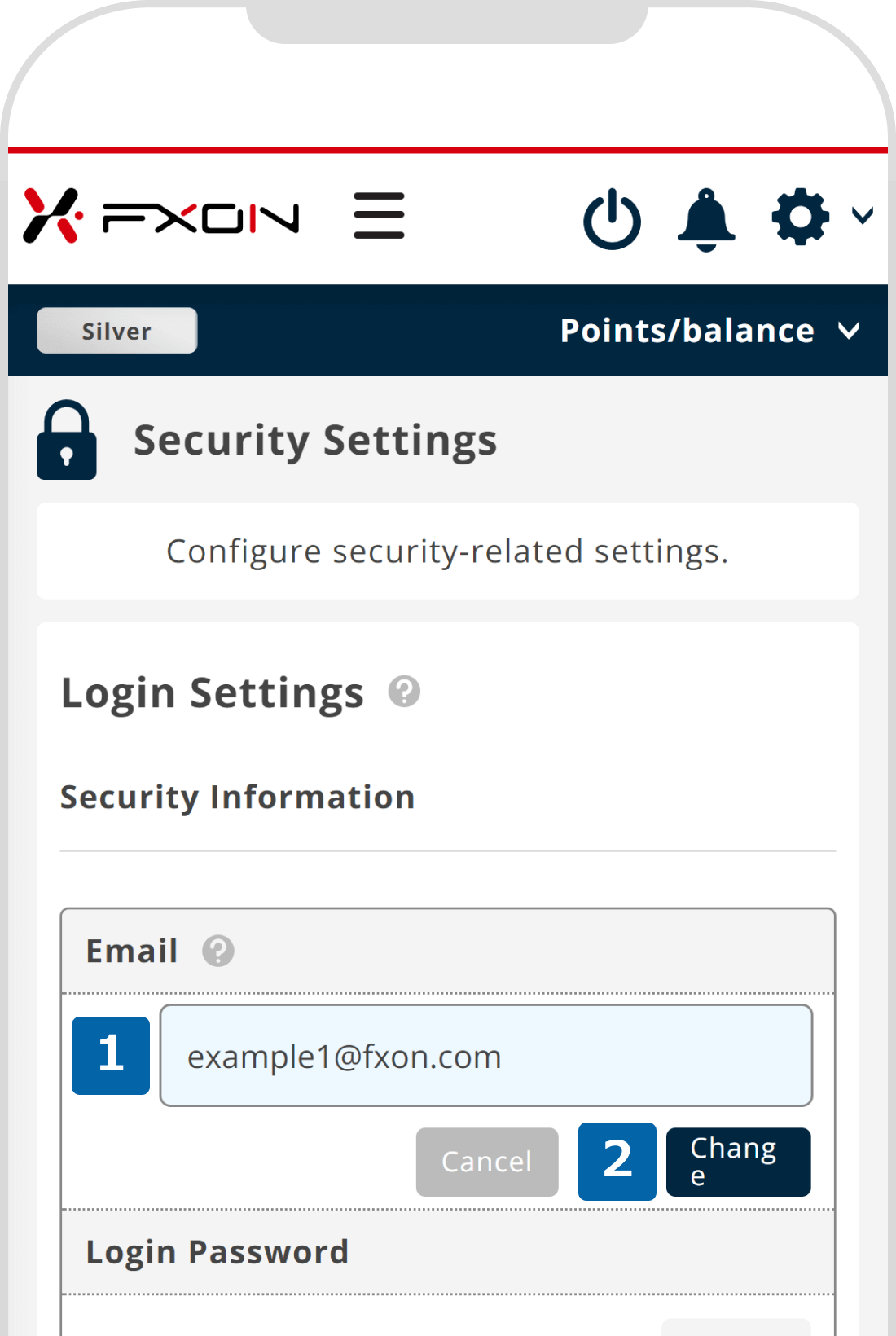
After entering the (1) new email address, tap (2) "Change".
4. Email address change confirmation
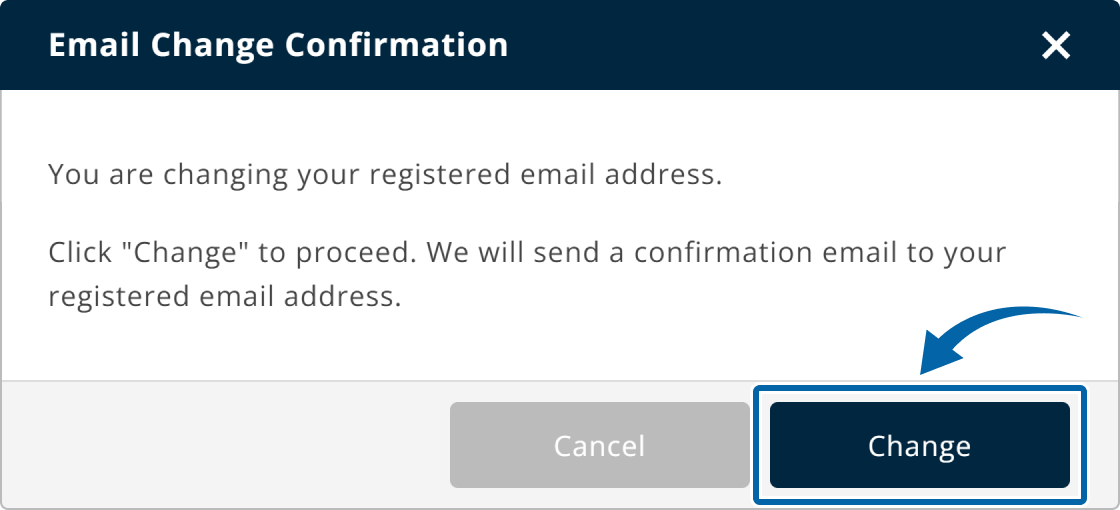
On the confirmation window, click "Change".
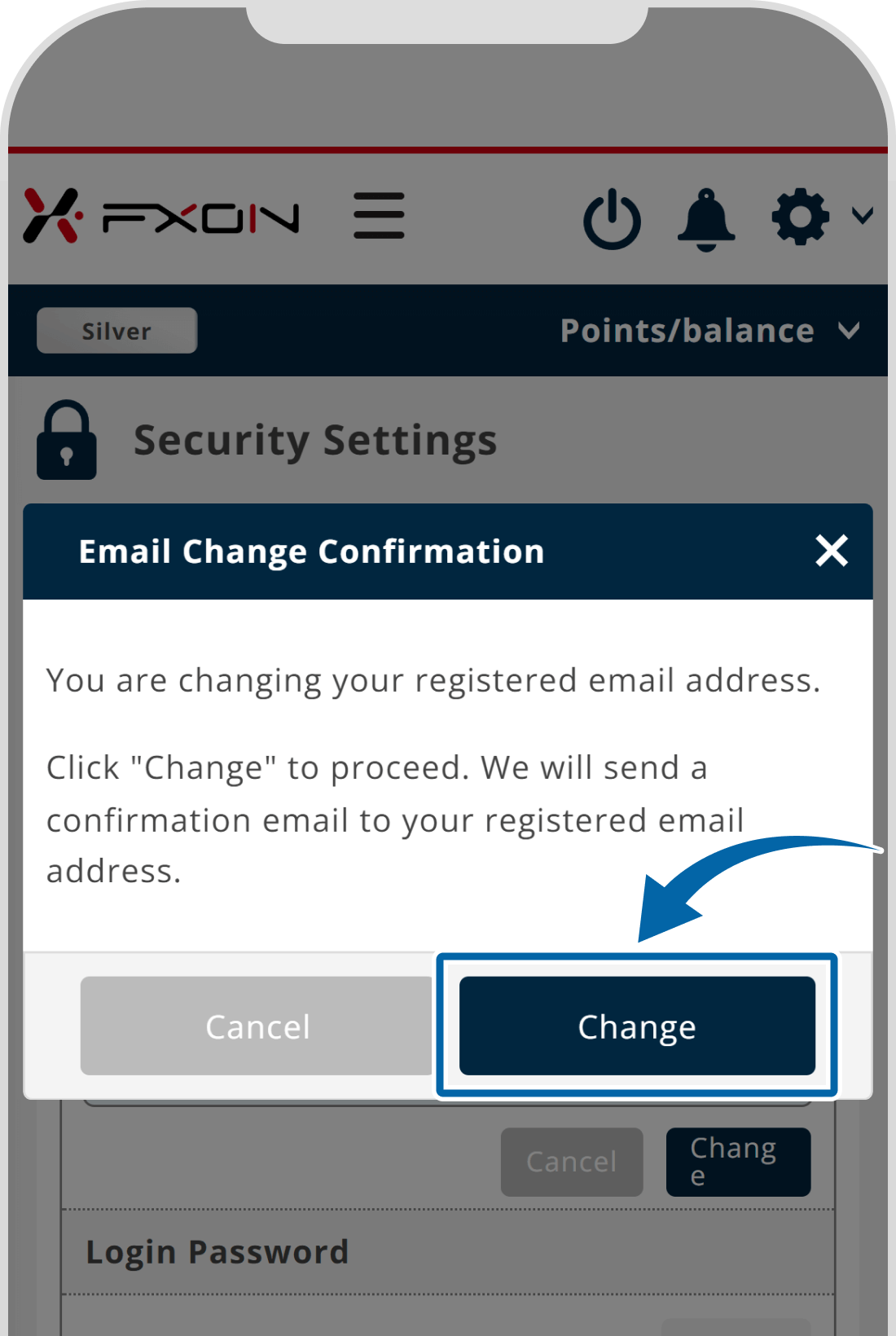
On the confirmation window, tap "Change".
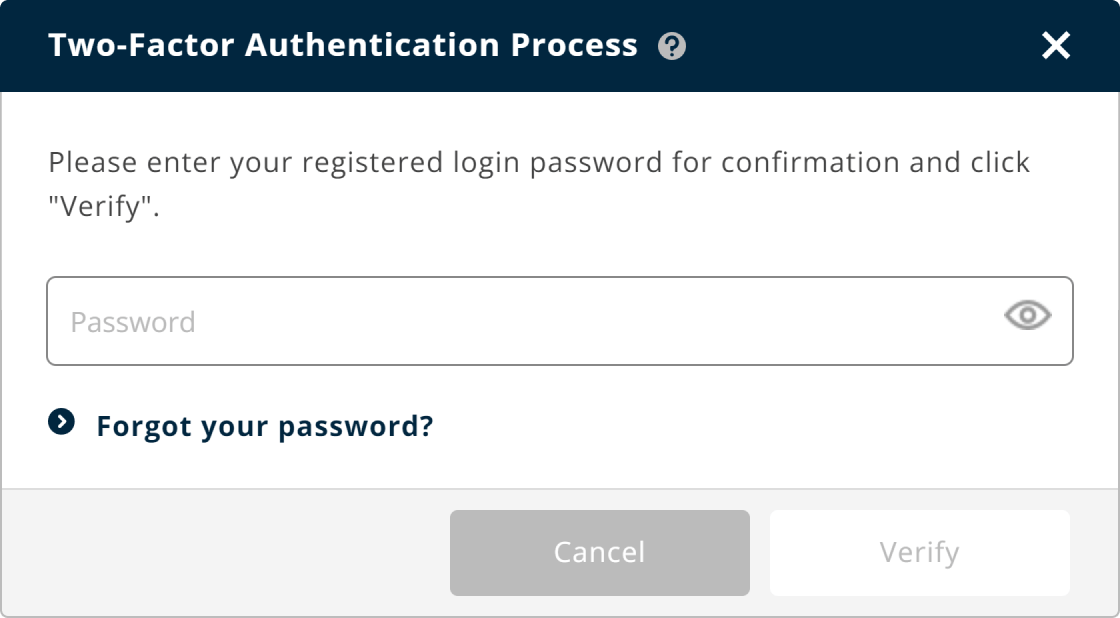
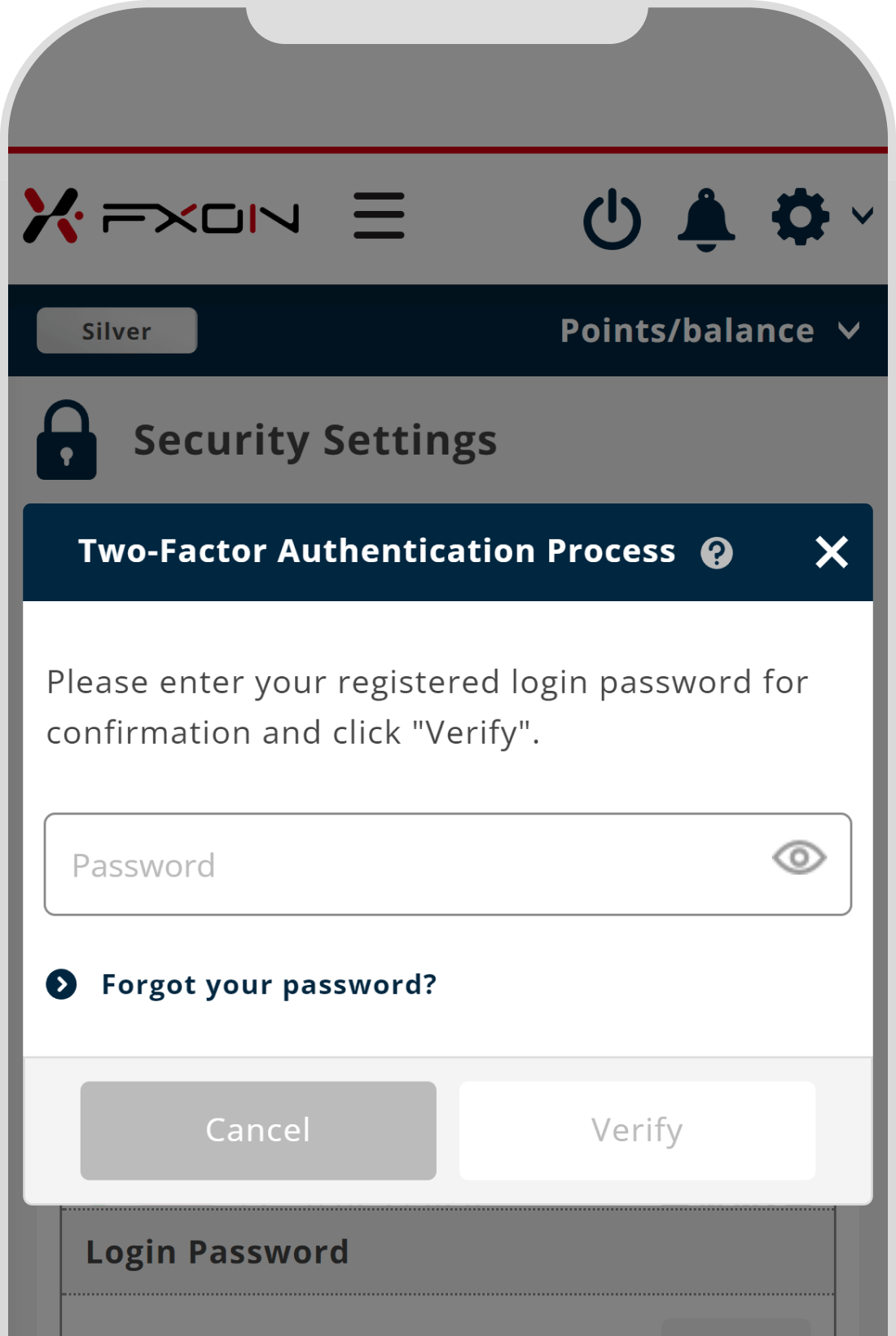
5. Two-Factor authentication
Two-Factor authentication may be required.
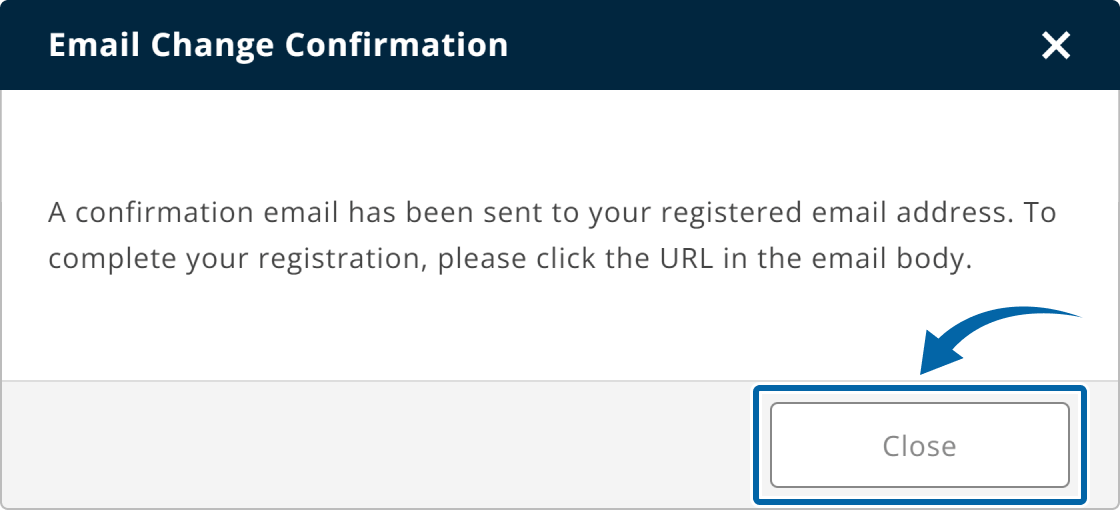
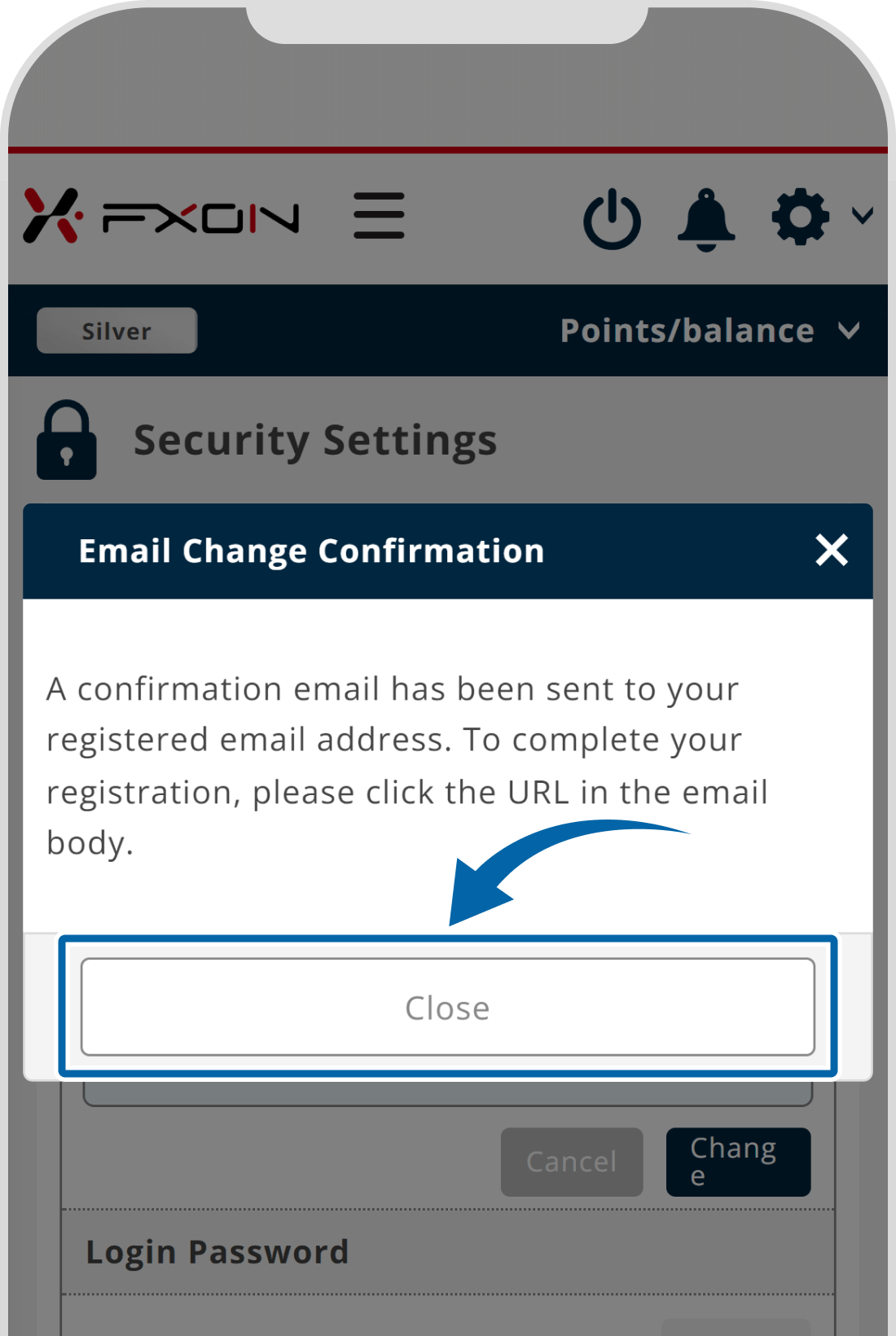
6. The change confirmation window
On the confirmation window, click "Close". At this point, the email address change process has not yet been completed. Please proceed to the next step to complete it.
On the confirmation window, tap "Close". At this point, the email address change process has not yet been completed. Please proceed to the next step to complete it.
7. Email for changing email address
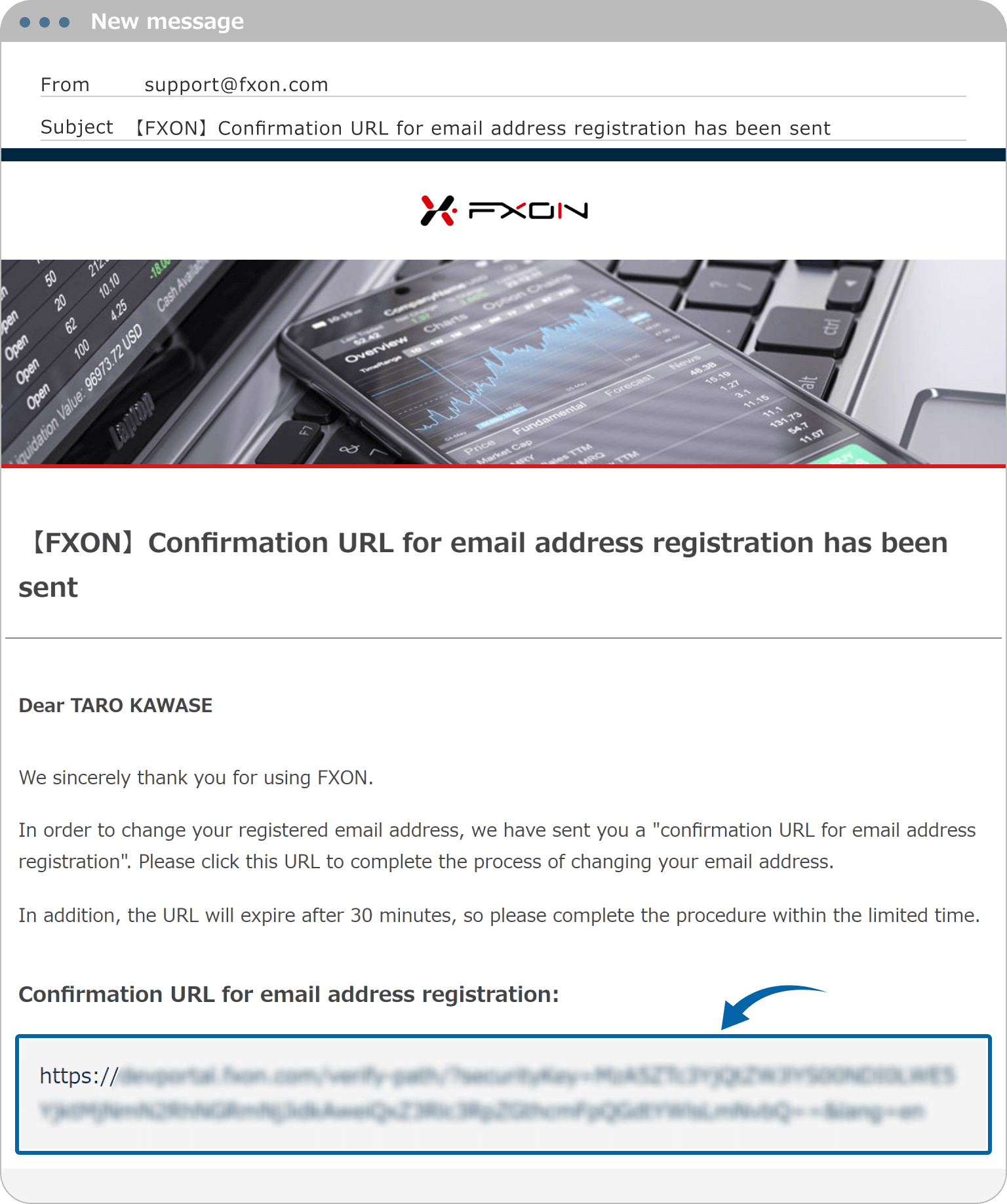
The following email will be sent to your new email address. Click the link in the email to complete the email address change.
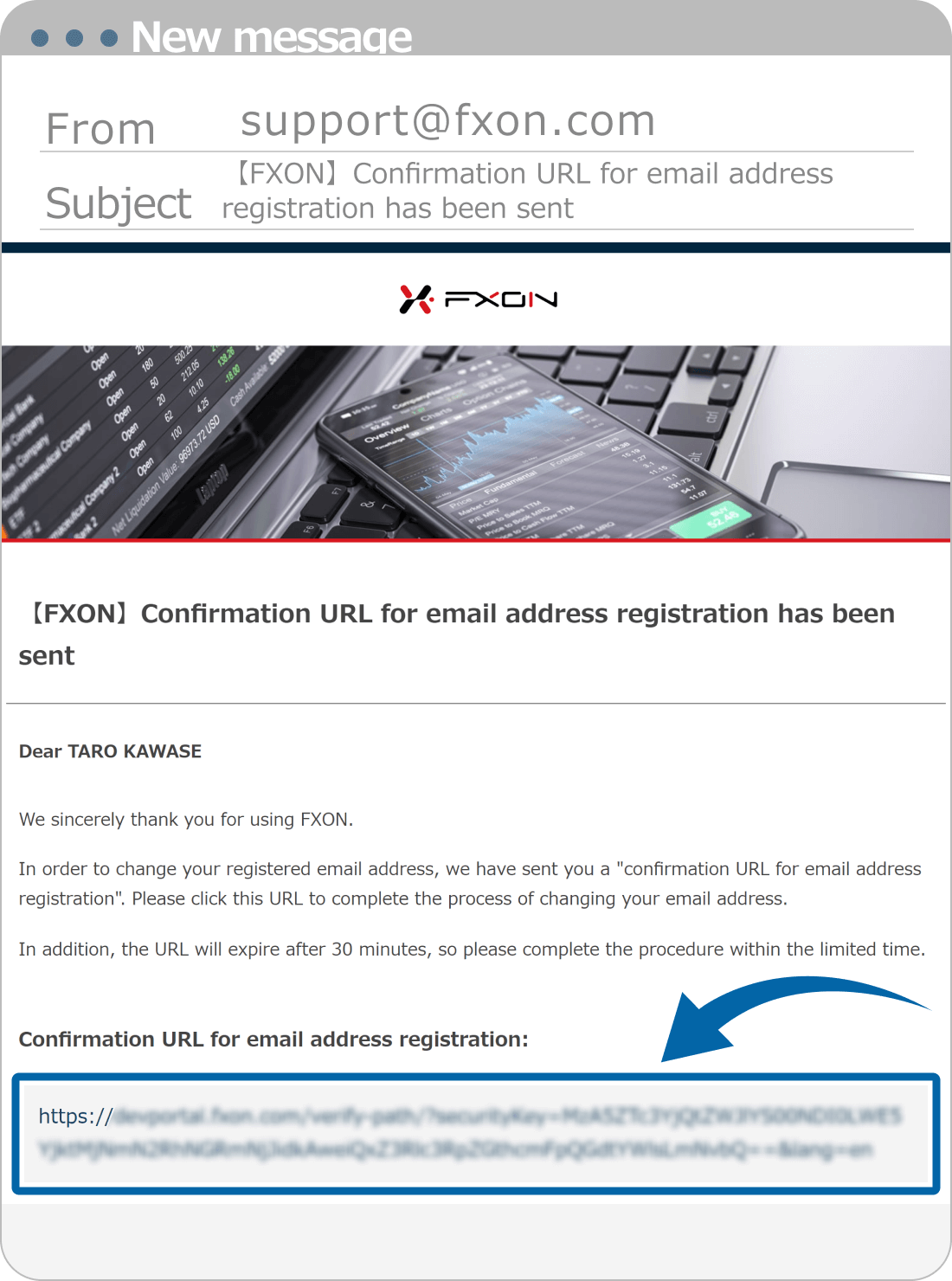
The following email will be sent to your new email address. Tap the link in the email to complete the email address change.
Subject:【FXON】Confirmation URL for email address registration has been sent
The email address will be required to log in to the FXON Portal. After the email address change, you will not be able to log in using the old email address.
The email address will be required to log in to the FXON Portal. After the email address change, you will not be able to log in using the old email address.
Note
The link is valid for 30 minutes. Please click it before it expires.
The link is valid for 30 minutes. Please tap it before it expires.
8. The completion window
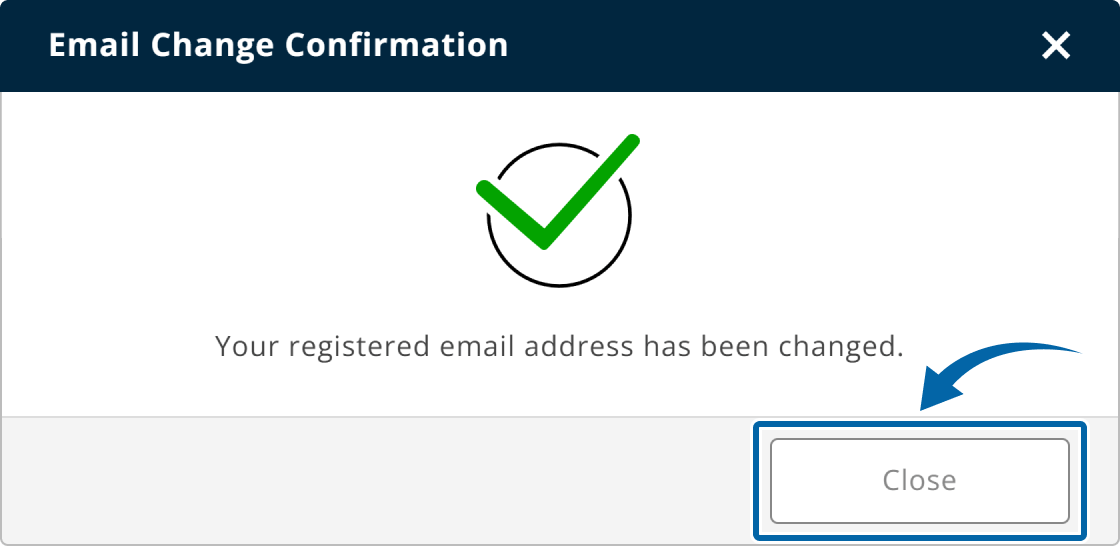
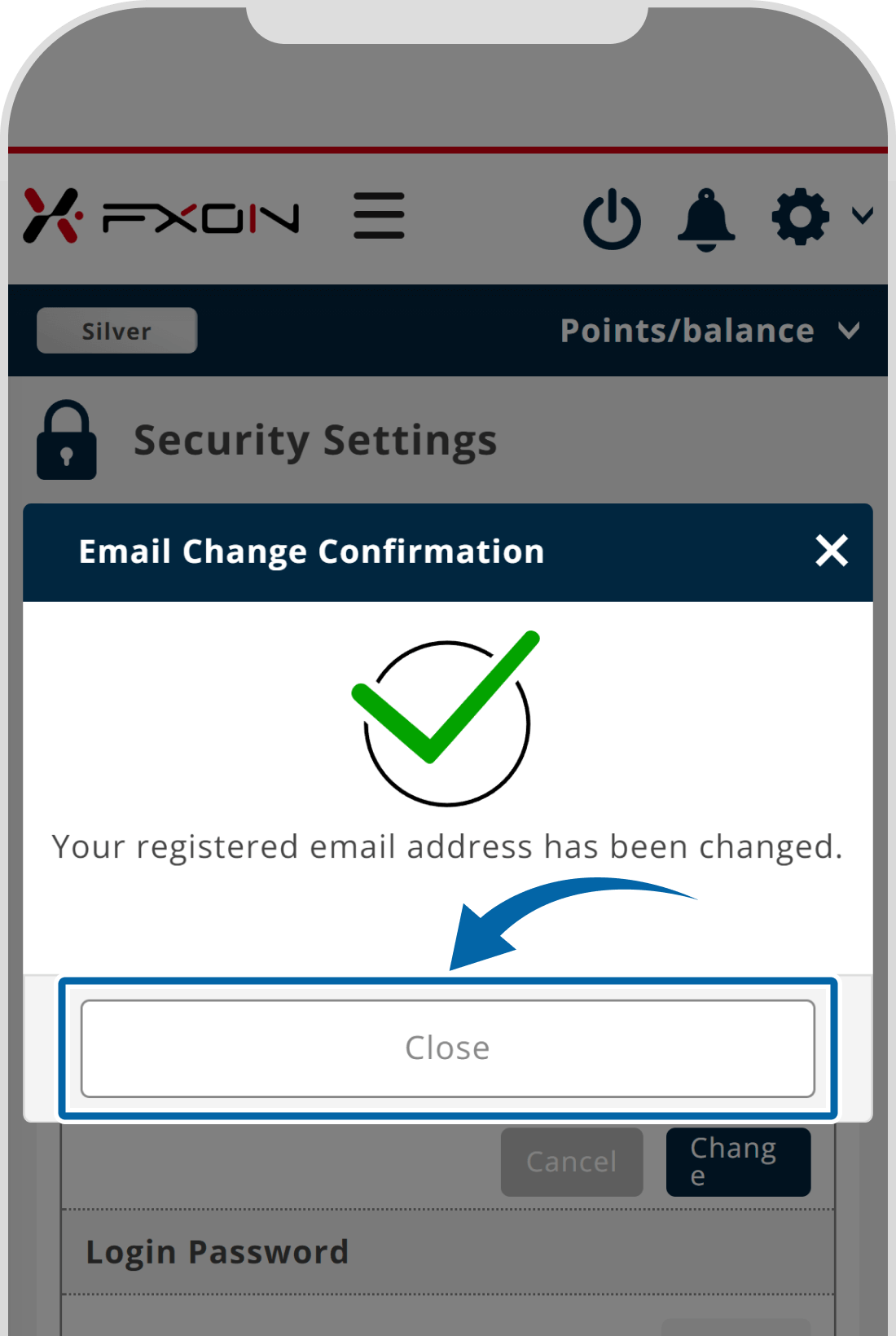
If it is changed successfully, the message "Your registered email address has been changed." will show up. Click "Close".
If it is changed successfully, the message "Your registered email address has been changed." will show up. Tap "Close".
9. Email address change notification
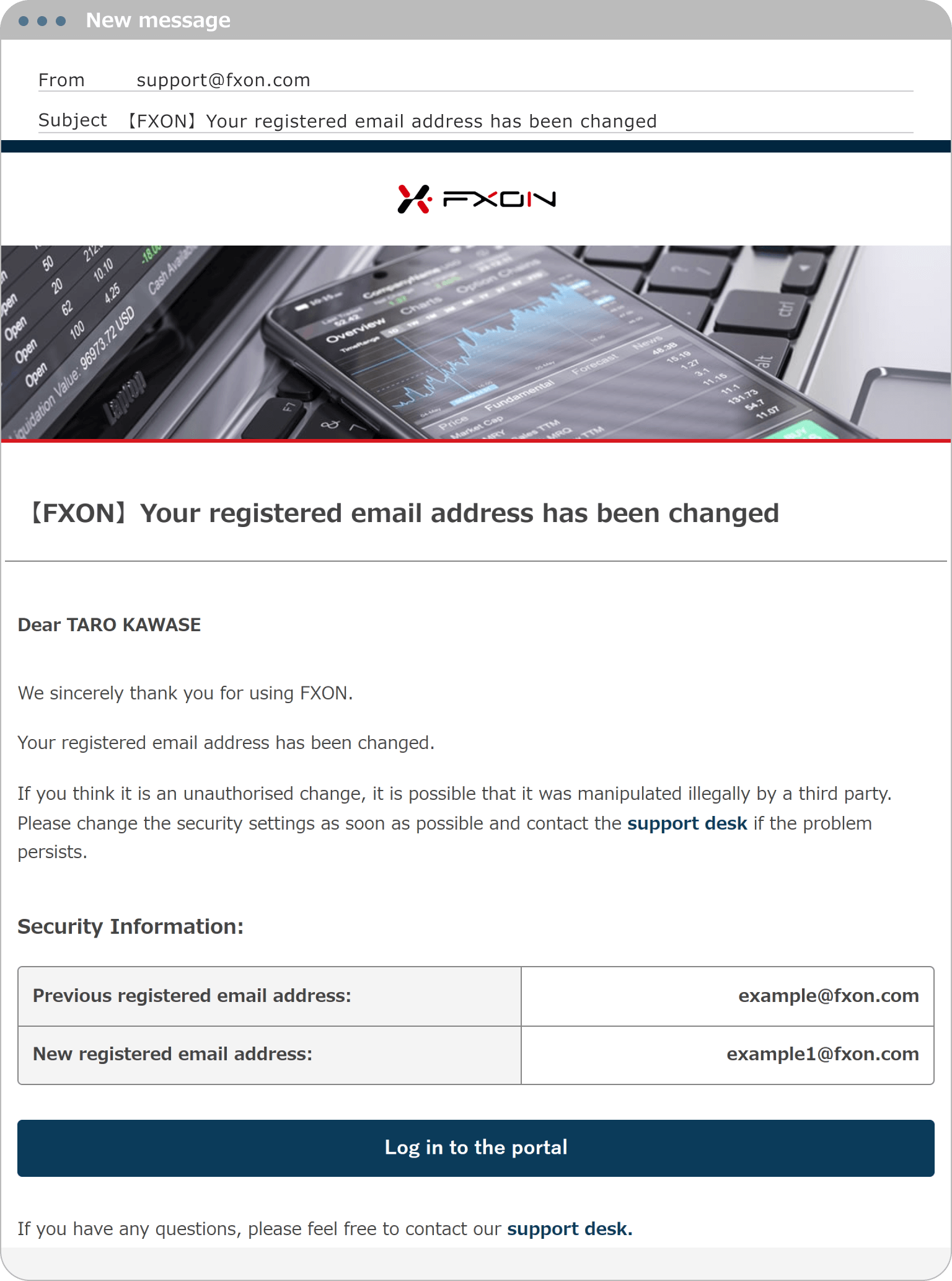
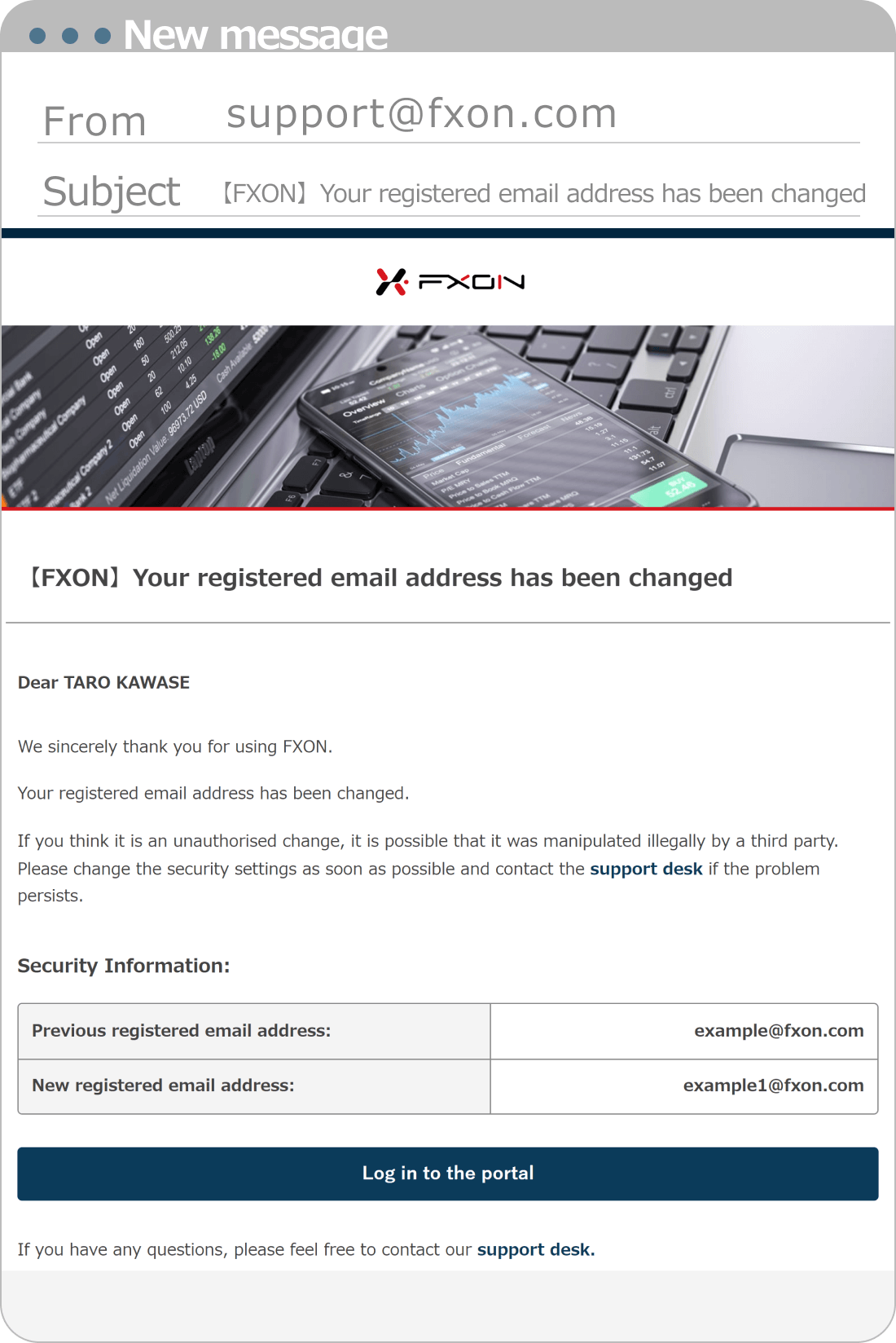
Upon completion of the process, the following email will be sent to your old and new email addresses.
Subject:【FXON】Your registered email address has been changed
If you didn't request an email address change, please contact the support desk.
Was this article helpful?
That’s Great!
Thank you for your feedback
Sorry! We couldn't be helpful
Thank you for your feedback
Feedback sent
We appreciate your effort and will try to fix the article