FXON services will be temporarily suspended due to phased system upgrades and a platform redesign. As functions will be restricted in stages, we kindly ask that you close open positions and withdraw your account funds by March 31. (Details here)
FXON services will be temporarily suspended due to a full platform redesign. We kindly ask that you close open positions and withdraw your account funds by March 31. (Details here)
You can open a trading account after logging into the FXON portal, by accessing the "Create/Add Trading Account" page. Before opening a real account, you will need to complete your profile registration and identity verification process. If you wish to open an account under a specific introducer, please have the 10-digit partner code ready in advance.
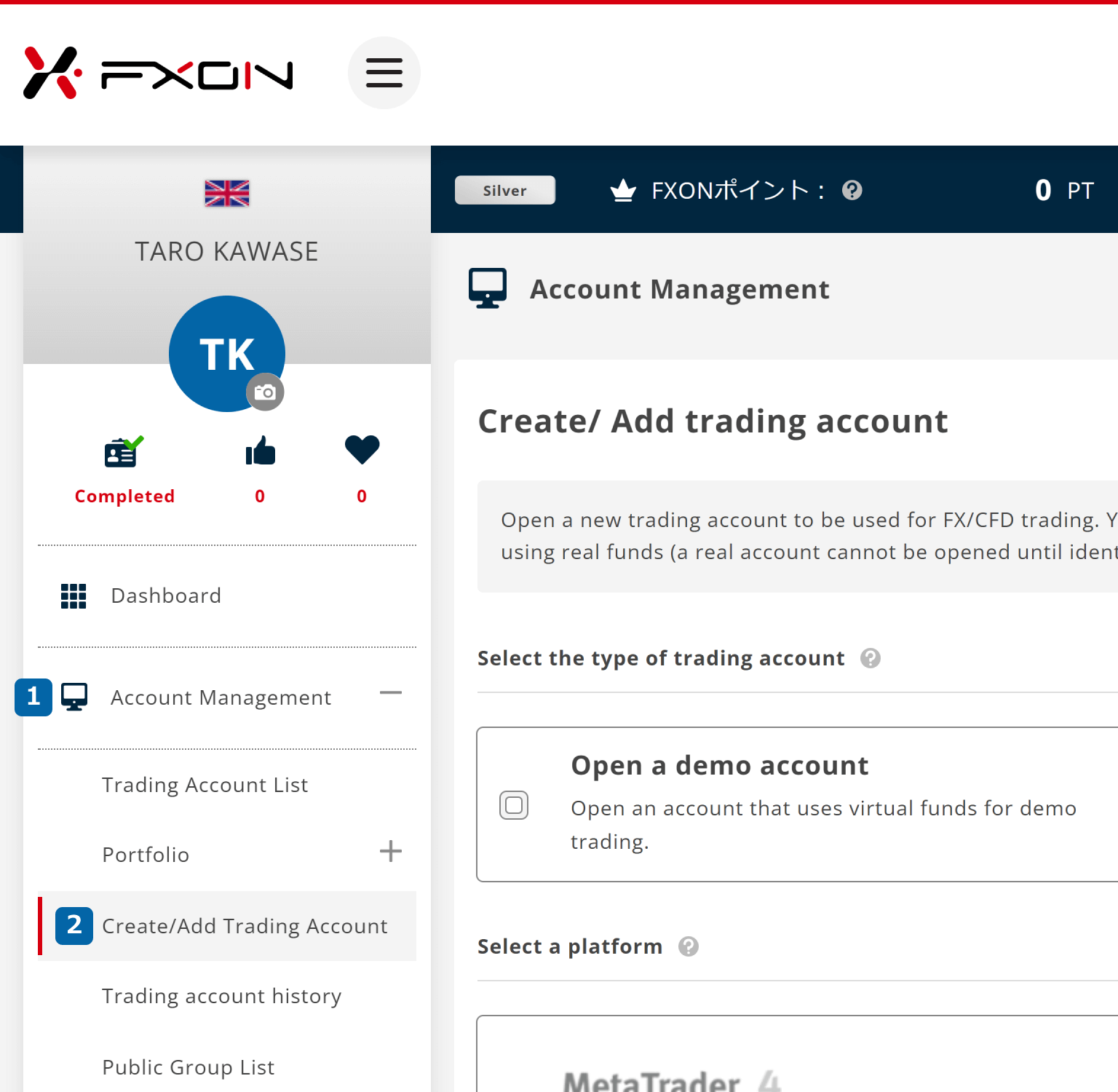
After logging into the FXON portal, click on (1) "Account Management" > (2) "Create/Add Trading Account" from the left menu.
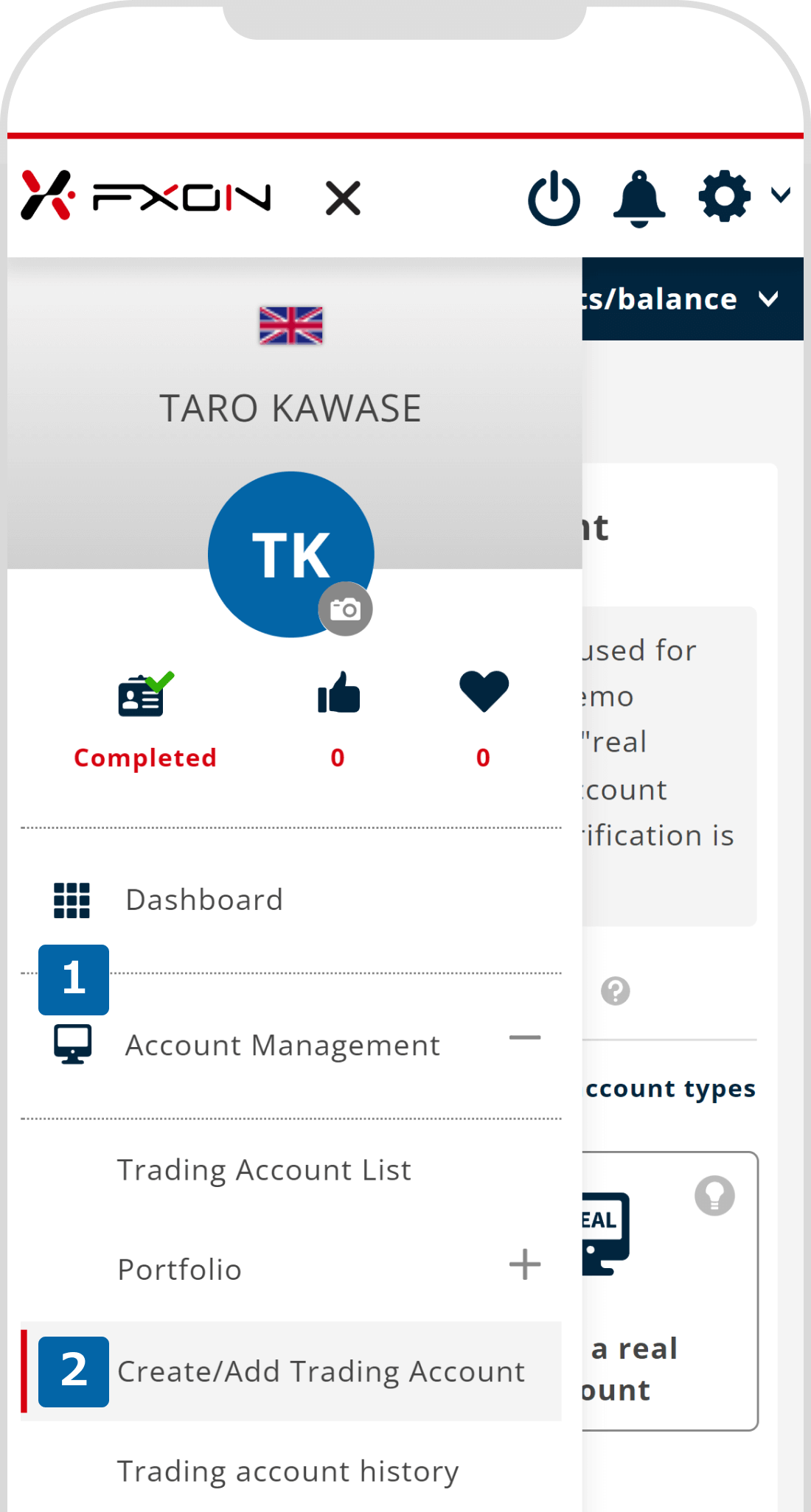
After logging into the FXON portal, tap the three lines (≡) at the top of the screen and then tap (1) "Account Management" > (2) "Create/Add Trading Account."
2. Choose the account mode
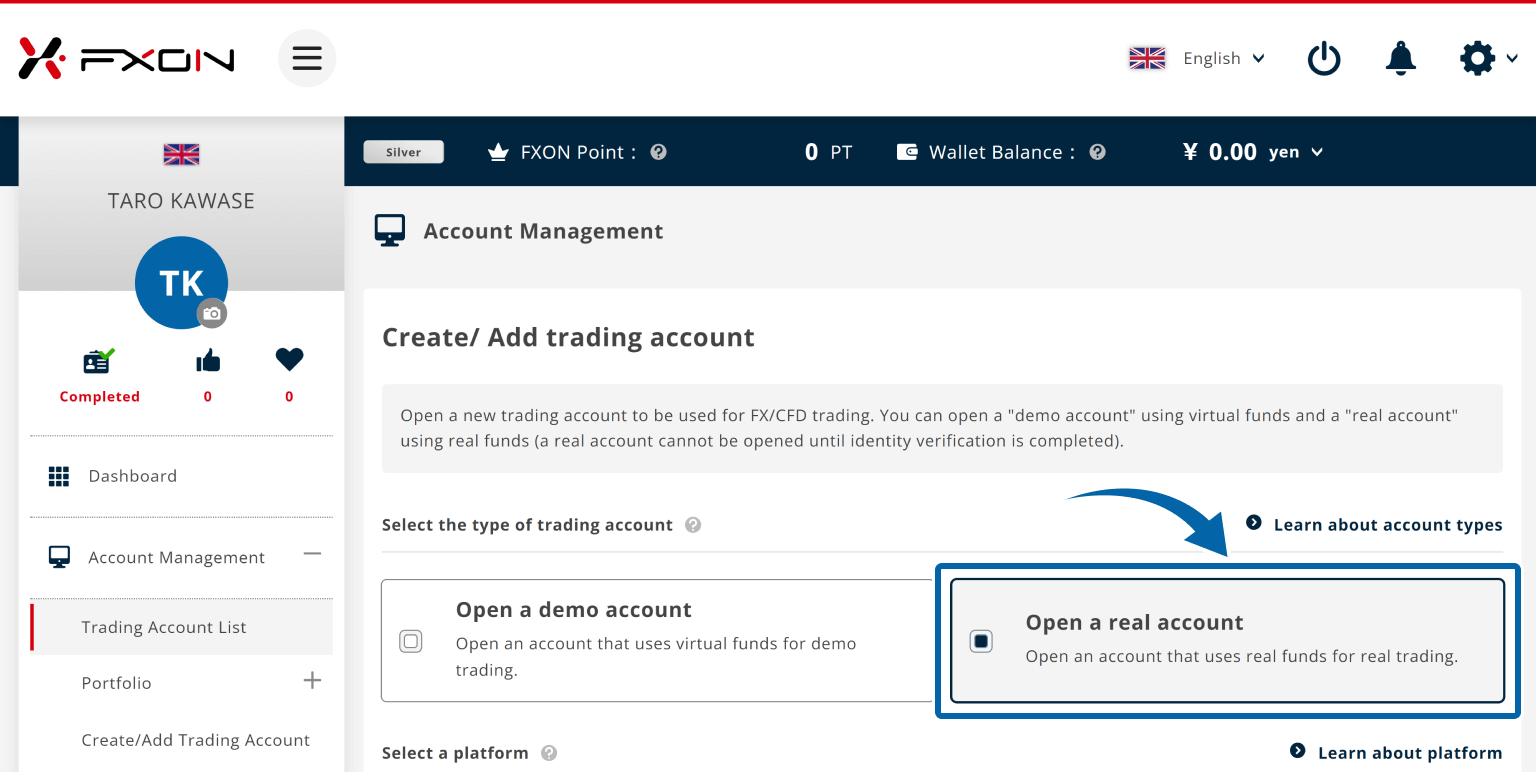
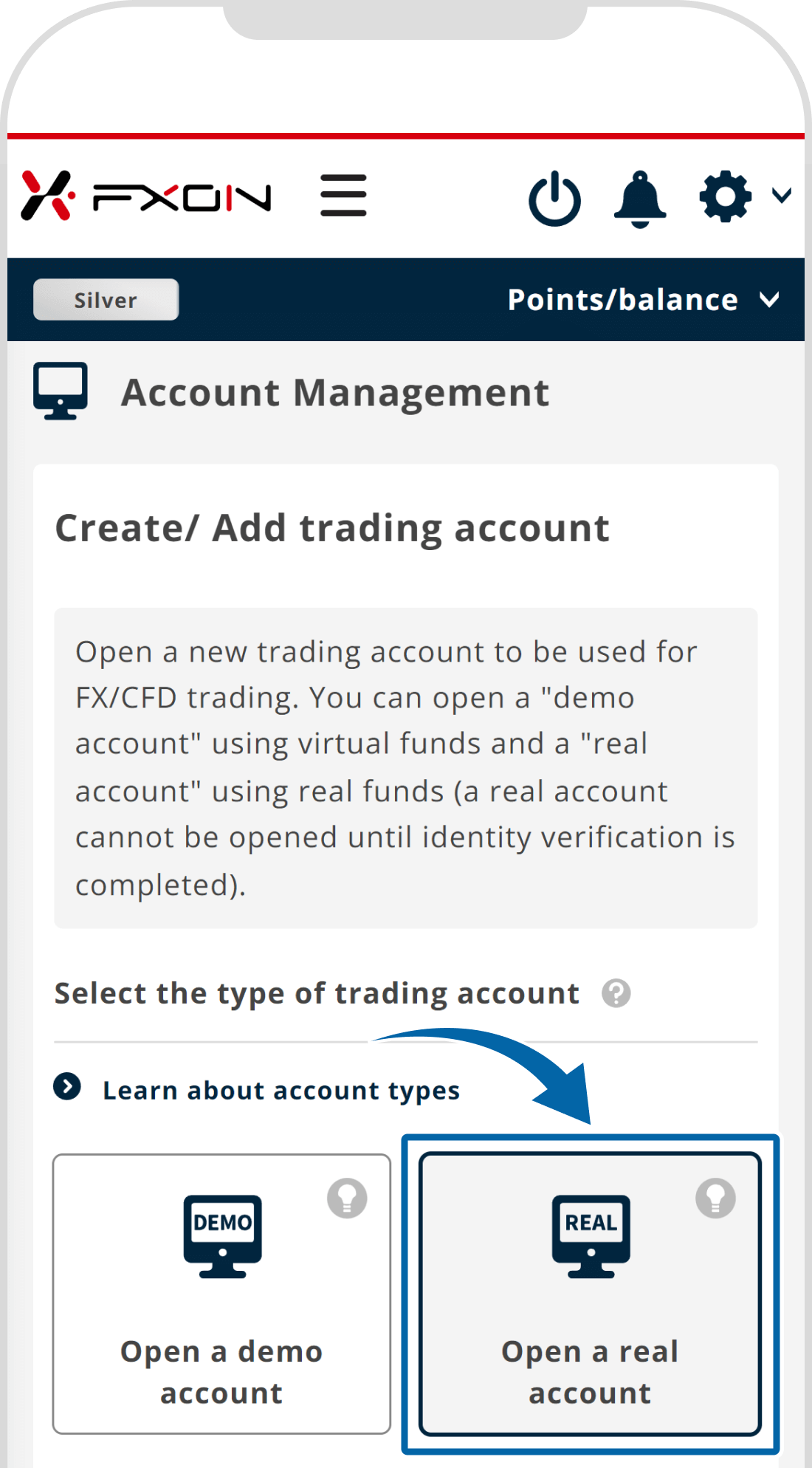
In the account mode selection, choose between "Open a real account" or "Open a demo account."
3. Select trading account settings (i)
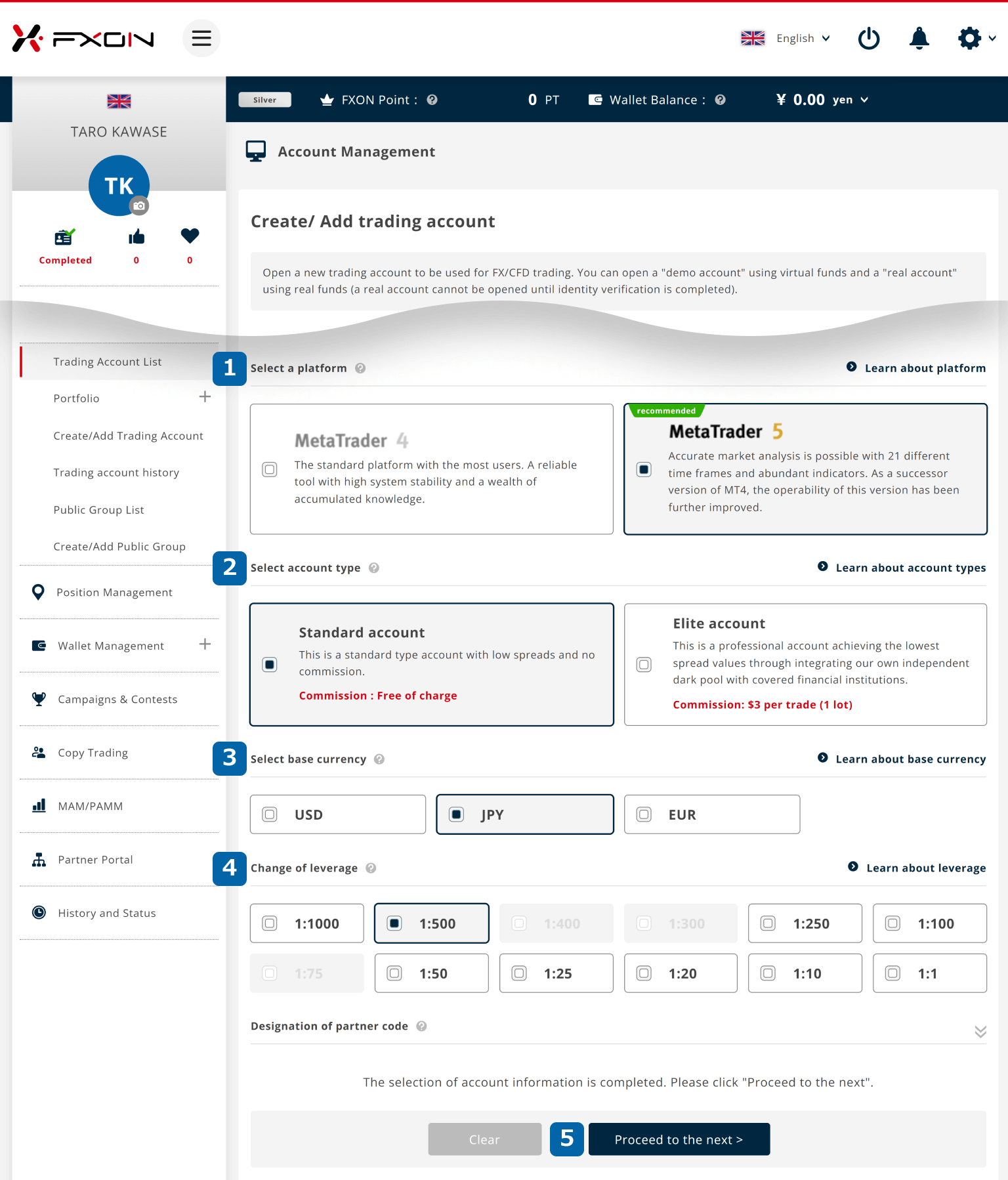
Choose your desired (1) platform, (2) account type, (3) base currency, and (4) leverage.
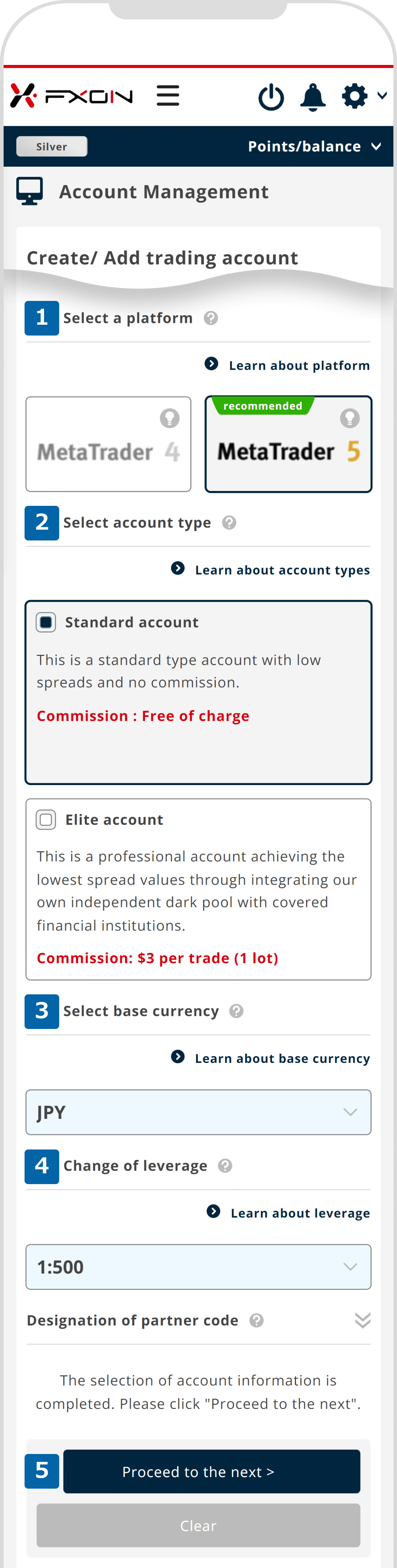
Choose your desired (1) platform, (2) account type, (3) base currency, and (4) leverage.
Notice
MetaTrader 4 (MT4) can only be selected for elite accounts.
4. Select trading account settings (ii)
For real accounts, the screen for entering the partner code (IB code) will be displayed. For demo accounts, you will be asked to select the amount of demo trading funds. Please see the instructions below for details on how to complete each setup.
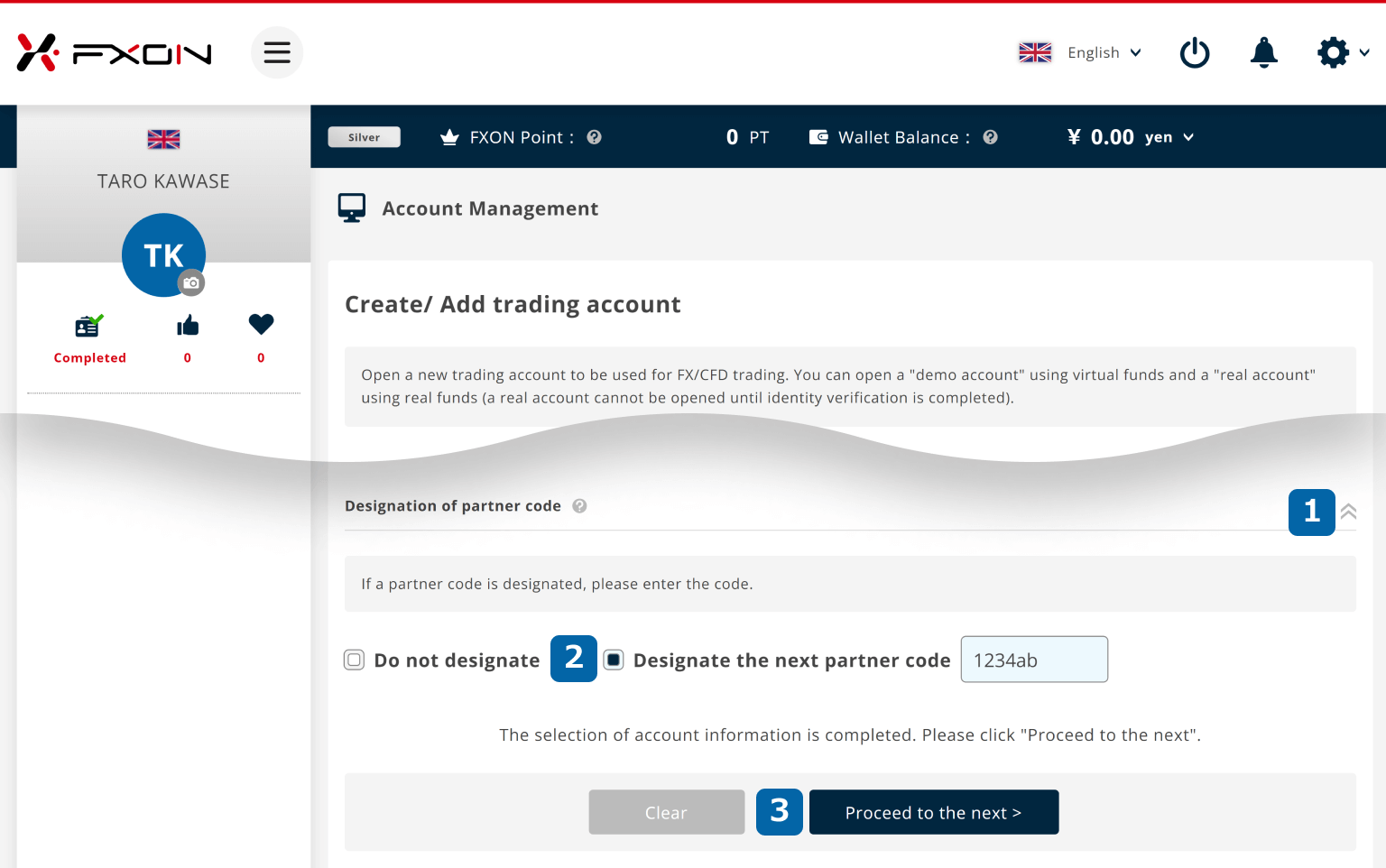
With a real account, you have the option to specify a partner code. (1) Click the "∨" to show the input field, (2) select "Add a partner code," then enter the 10-digit partner code. Afterward, (3) click "Next Step".
If you don’t want to specify a partner code, (4) check "No code" and (3) click "Next Step".
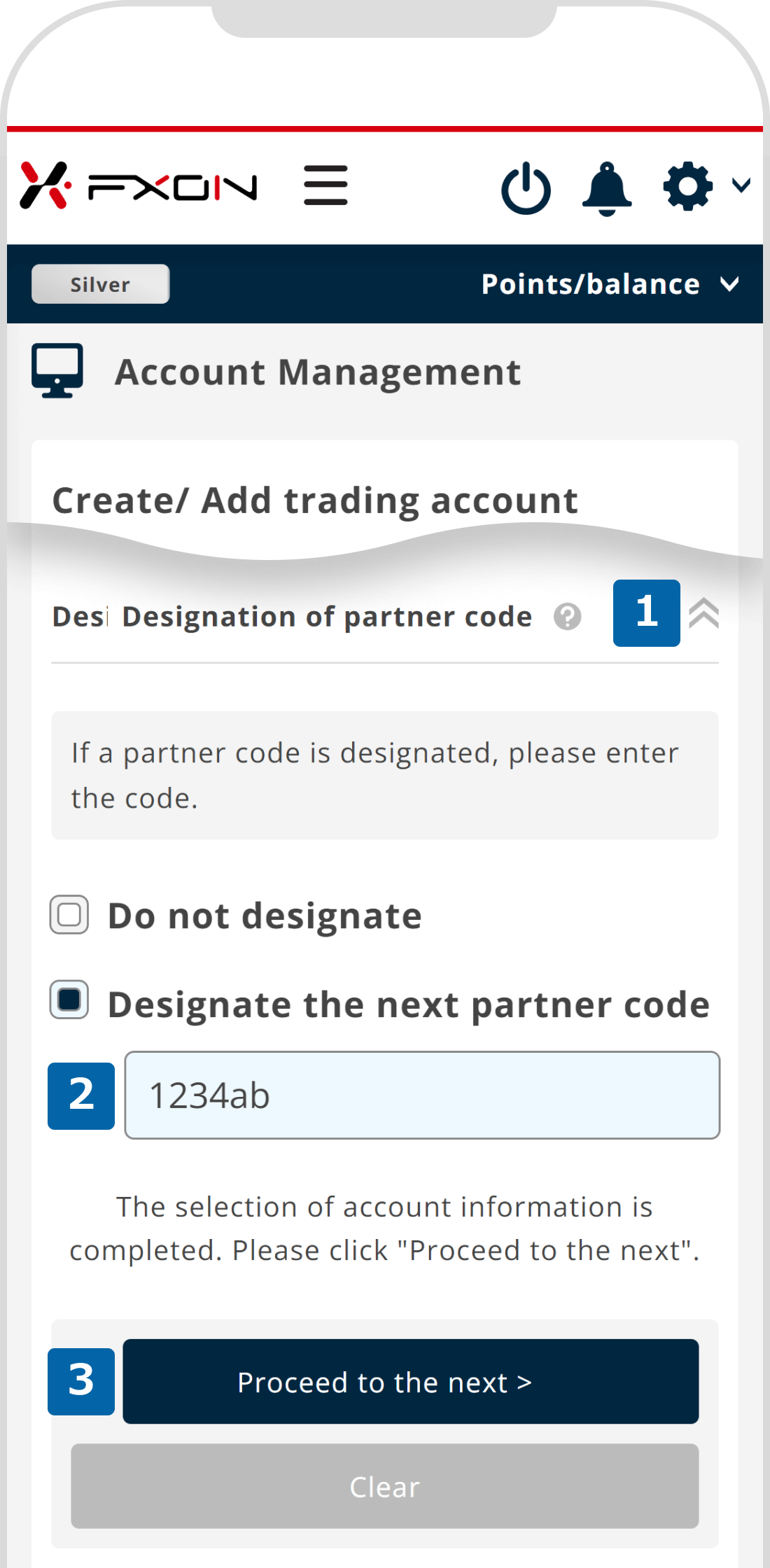
With a real account, you have the option to specify a partner code. (1) Tap the "∨" to display the partner code input field, (2) select "Add a partner code," then enter the 10-digit partner code. Afterward, (3) tap "Next step".
If you don’t want to specify a partner code, (4) check "No code" and (3) tap "Next step".
Notice
If you open an account via a introducer’s link, partner code will be linked to your account even if you select "No code".
If you wish to open an account without linking a partner code, please select "Add a partner code" and proceed without entering anything in the input field.
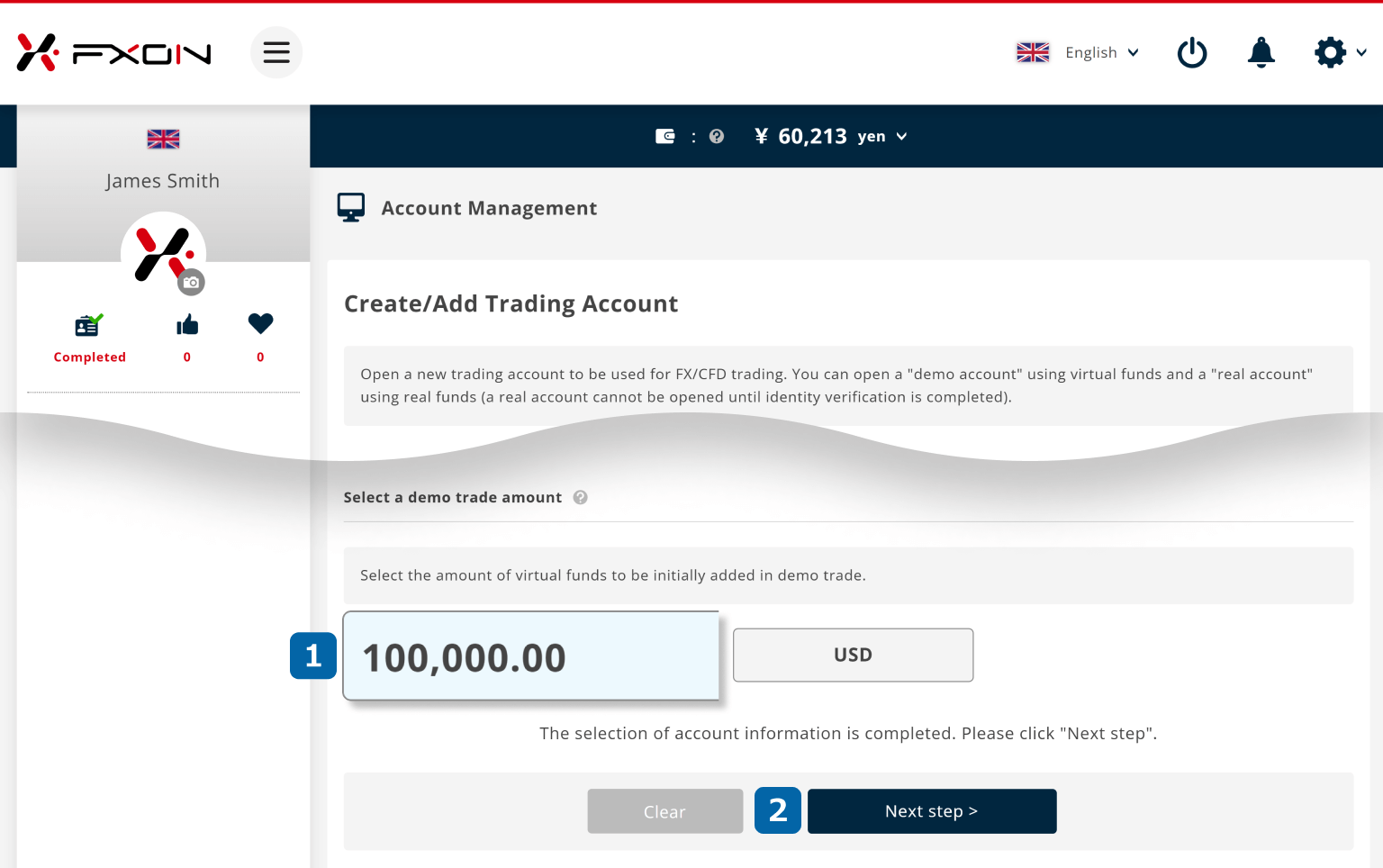
For demo accounts, you will set the virtual funds. (1) Click on the amount selection field and choose the amount of virtual funds to apply to the demo account.
Then, (2) click “Next” to proceed.
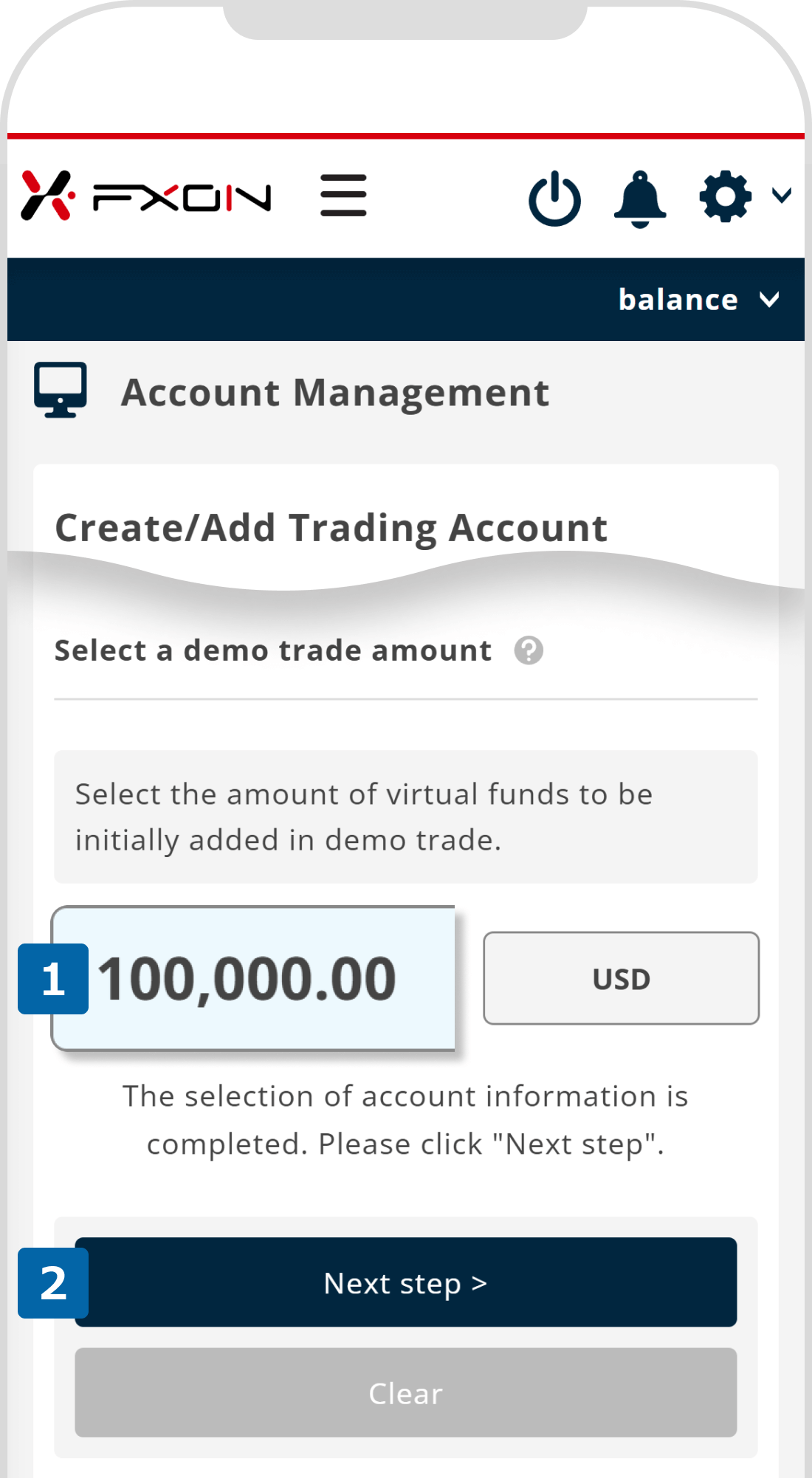
For demo accounts, you will set the virtual funds. (1) Tap on the amount selection field and choose the amount of virtual funds to apply to the demo account.
Then, (2) tap "Next" to proceed.
5. Confirm the trading account opening details
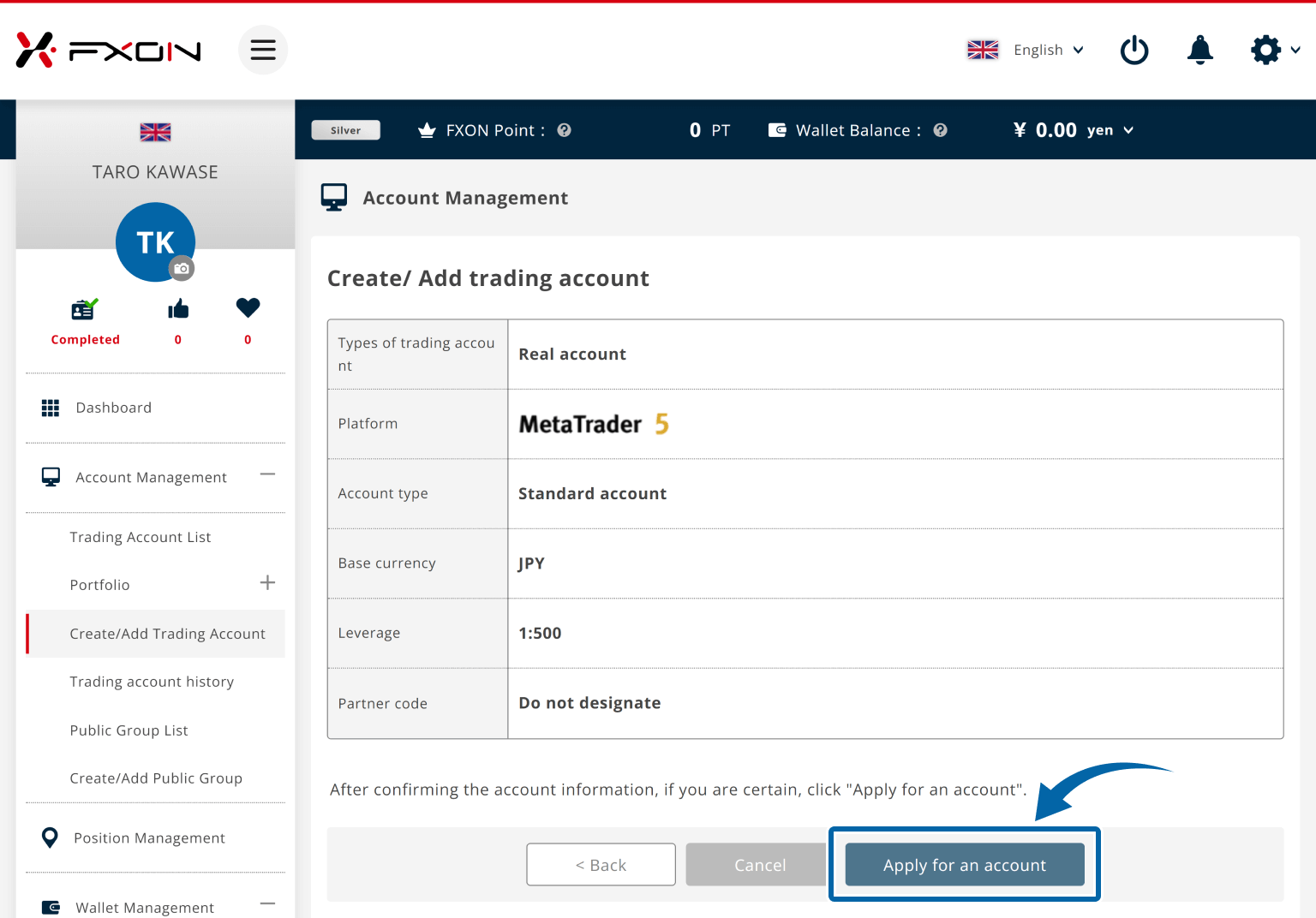
Account details will be displayed. Check for accuracy and click "Apply for an account" (or "Open an account" for demo accounts).
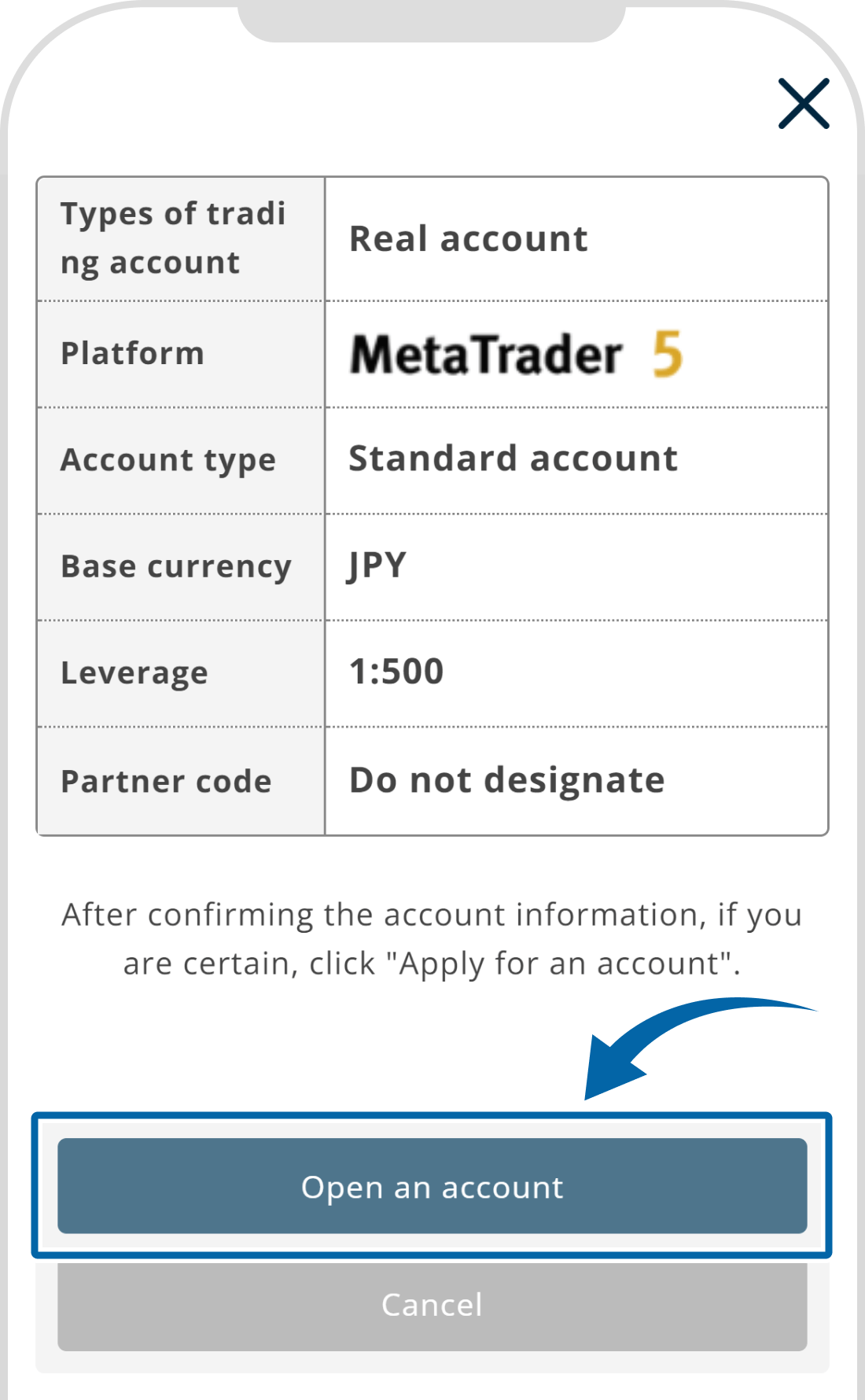
Account details will be displayed. Check for accuracy and tap "Apply for an account" (or "Open an account" for demo accounts).
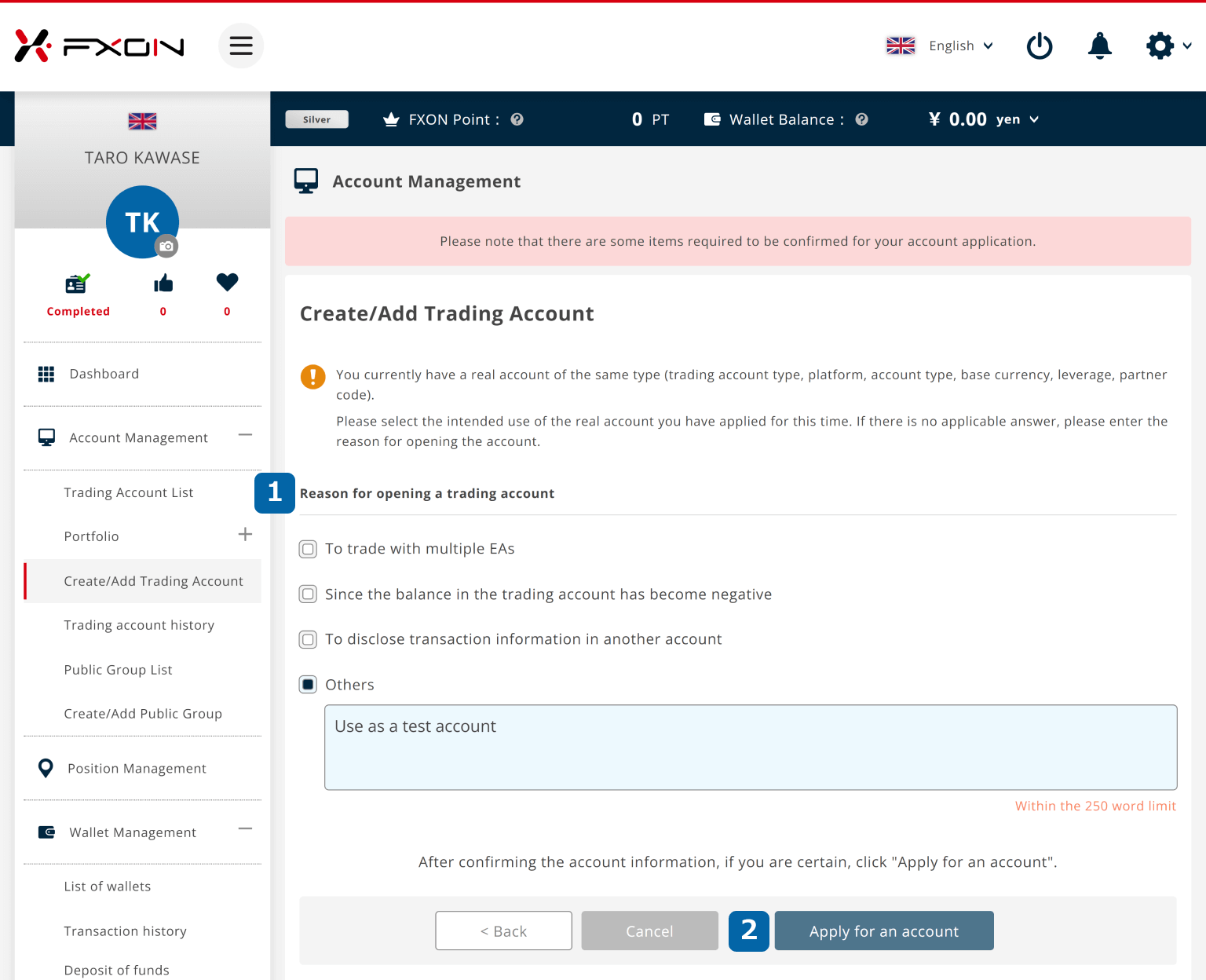
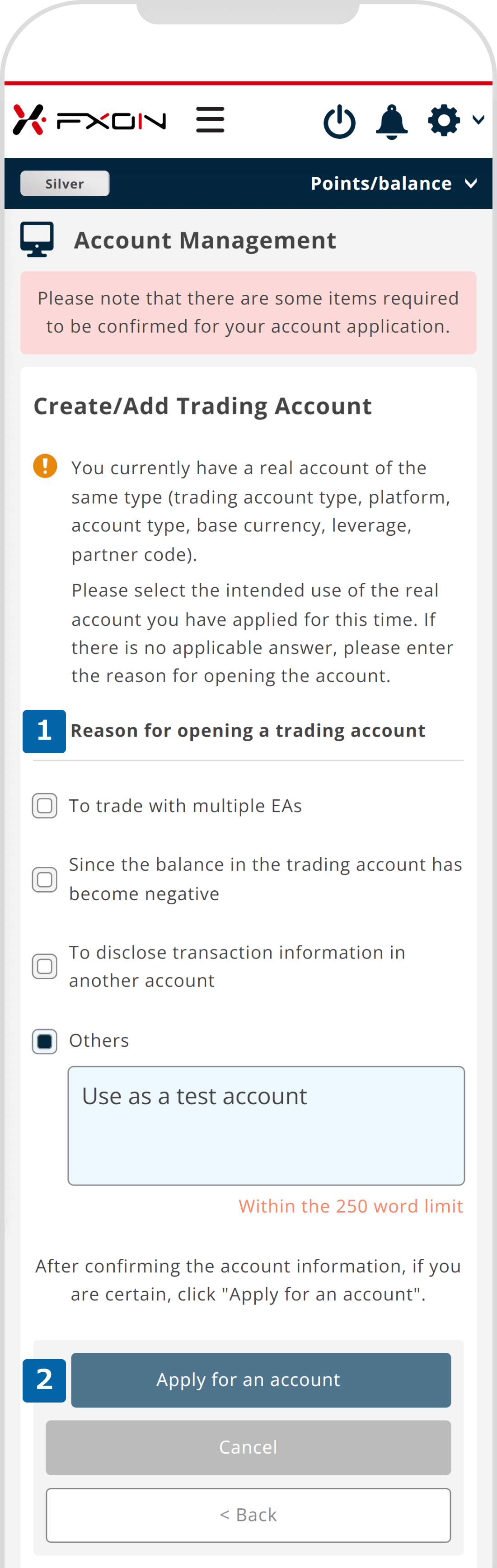
6. Account opening reason screen (for real accounts only)
If you already own an account of the same type, a screen will appear asking you to choose the reason for opening the trading account. Select the appropriate reason and input your reason if it's not listed, then click "Apply for an account."
If you already own an account of the same type, a screen will appear asking you to choose the reason for opening the trading account. Select the appropriate reason and input your reason if it's not listed, then tap "Apply for an account."
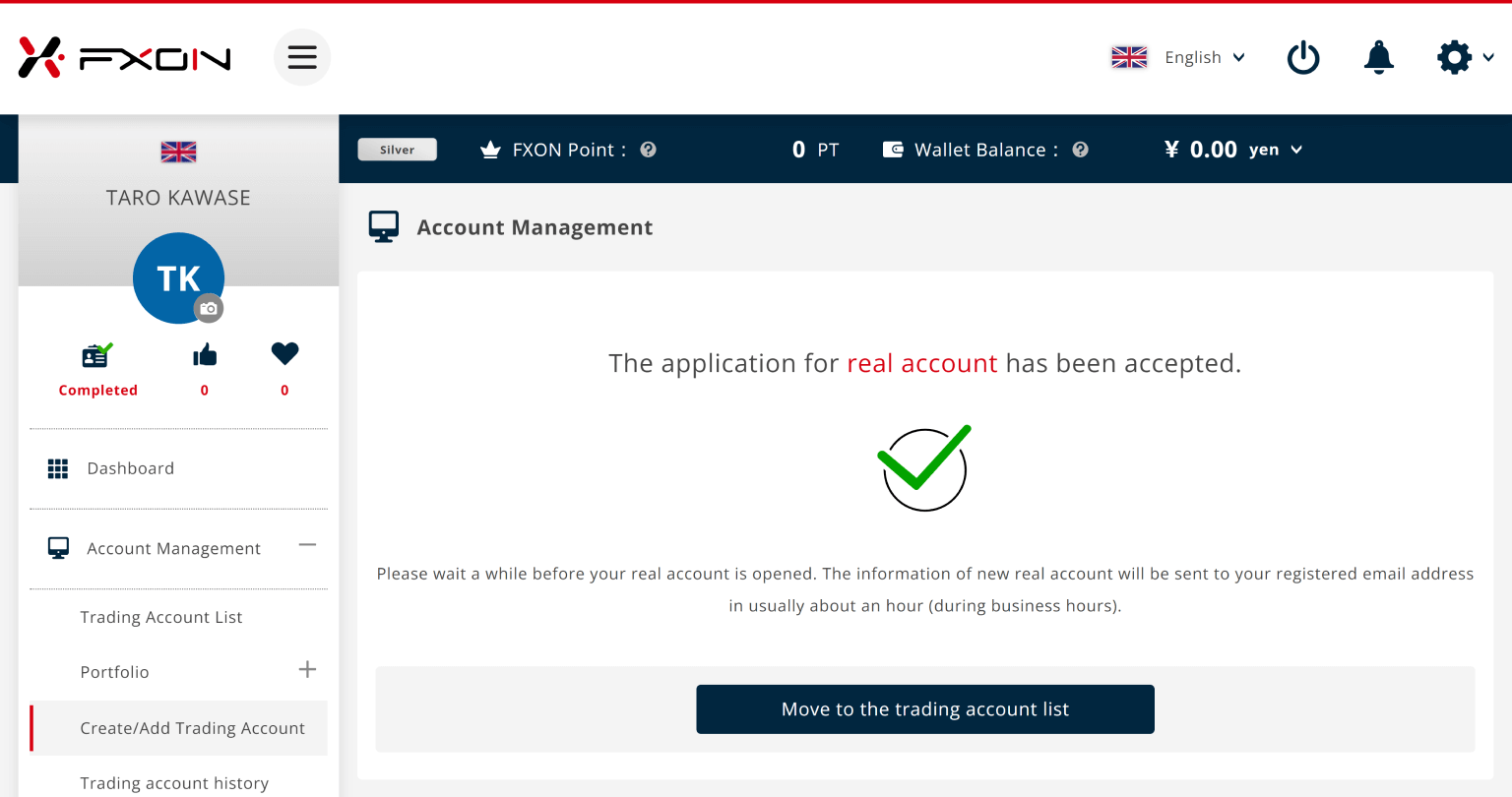
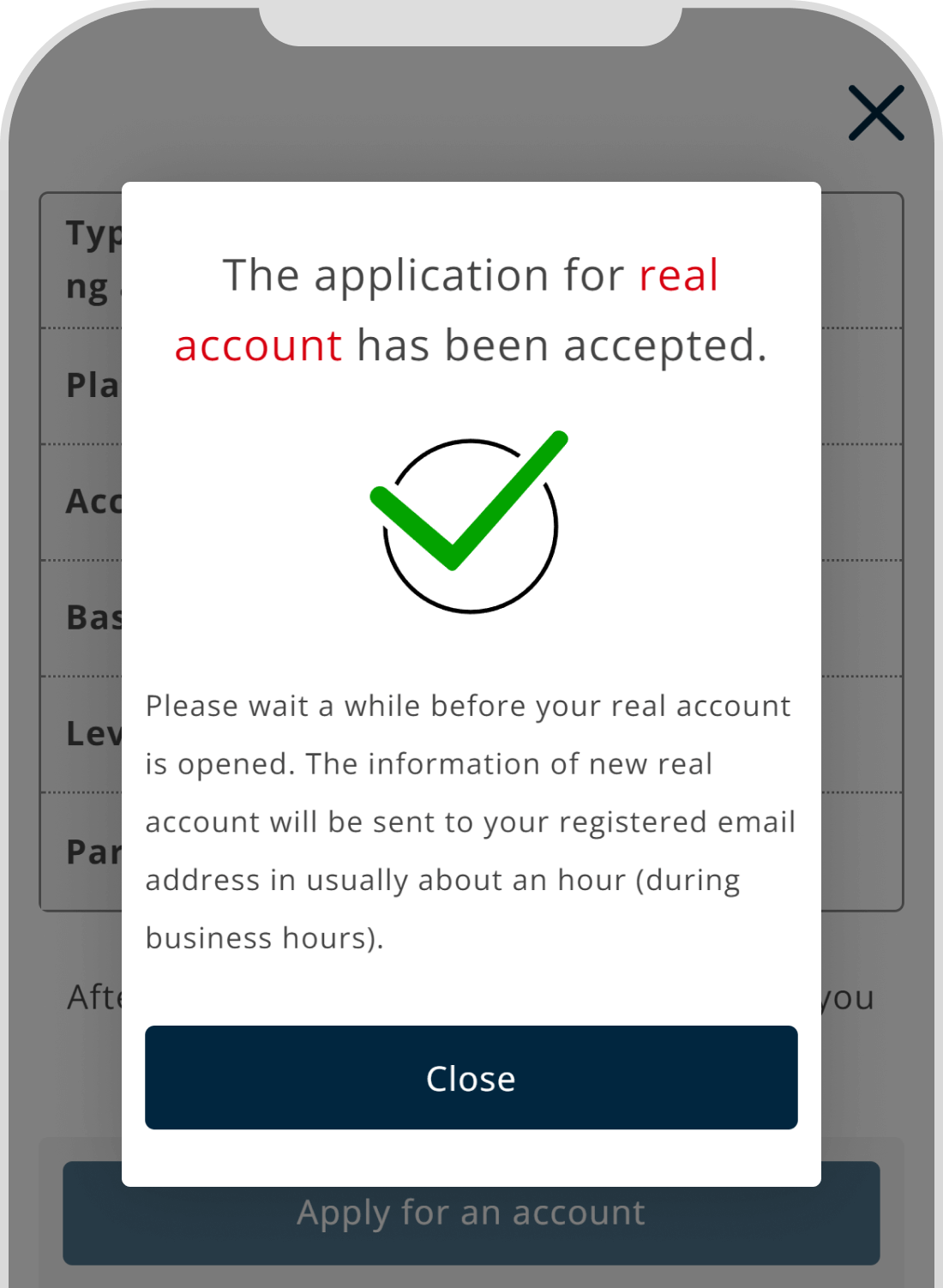
7. Trading account opening completion
The message "The application for real account has been accepted" (or "The application for demo account has been accepted" for demo accounts) will appear, confirming the completion of your account opening process.
8. Account opening confirmation email (for real accounts only)
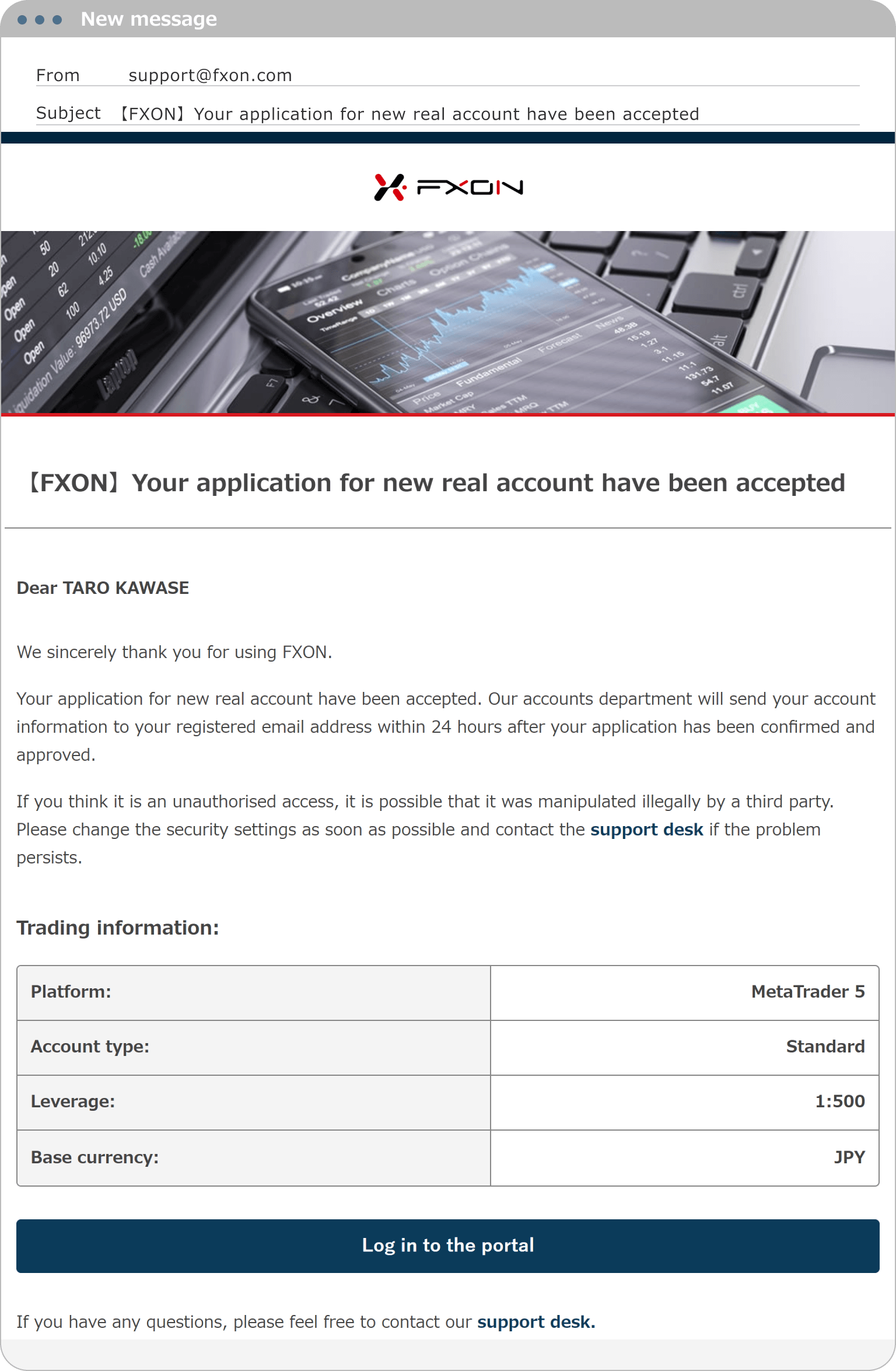
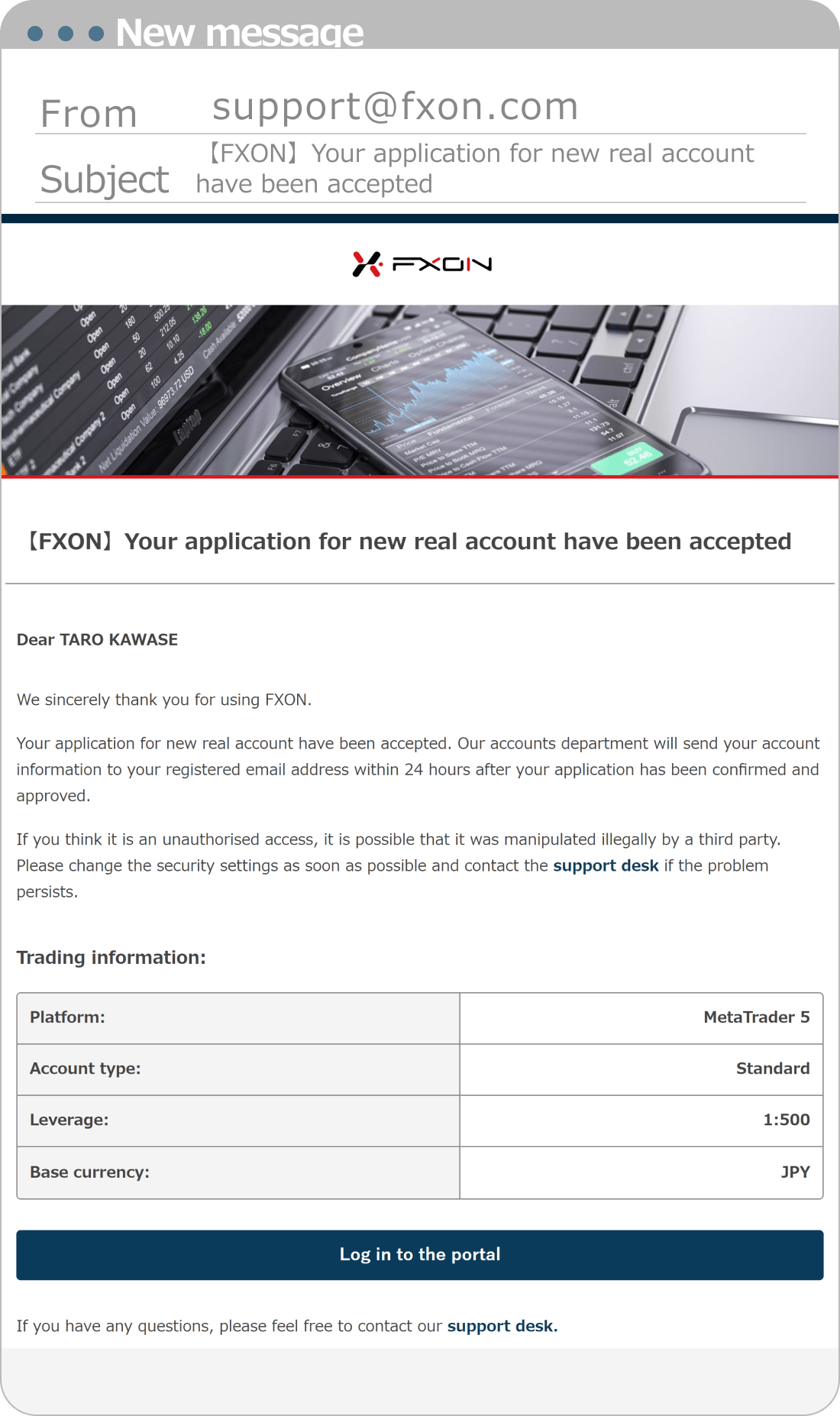
A confirmation email will be sent to your registered email address, so please check it.
Subject:【FXON】Your application for new/additional real account have been accepted.
After verifying and reviewing your application, your account details will be sent to your registered email address. Please wait for a while.
9. Trading account opening completion email
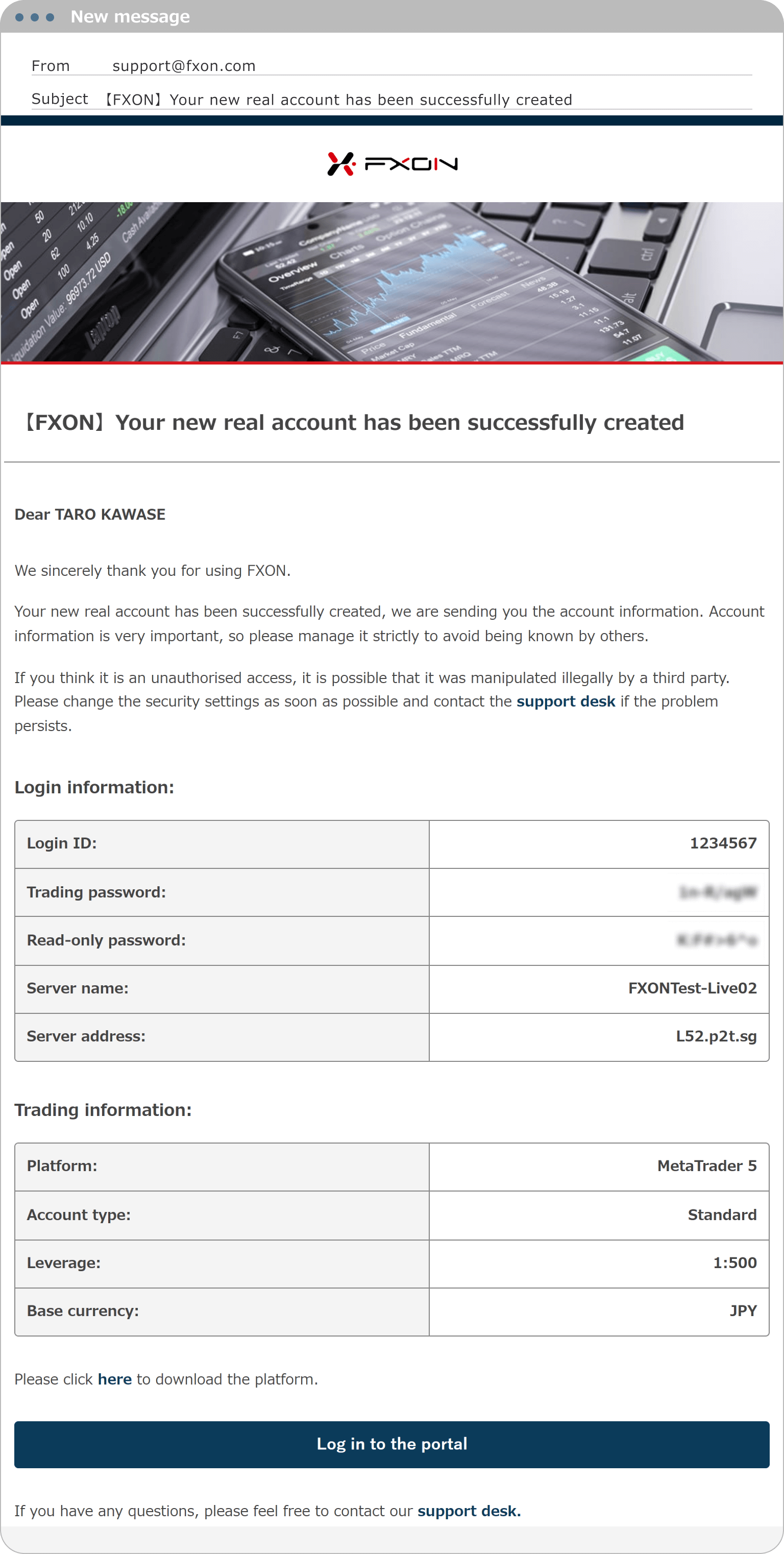
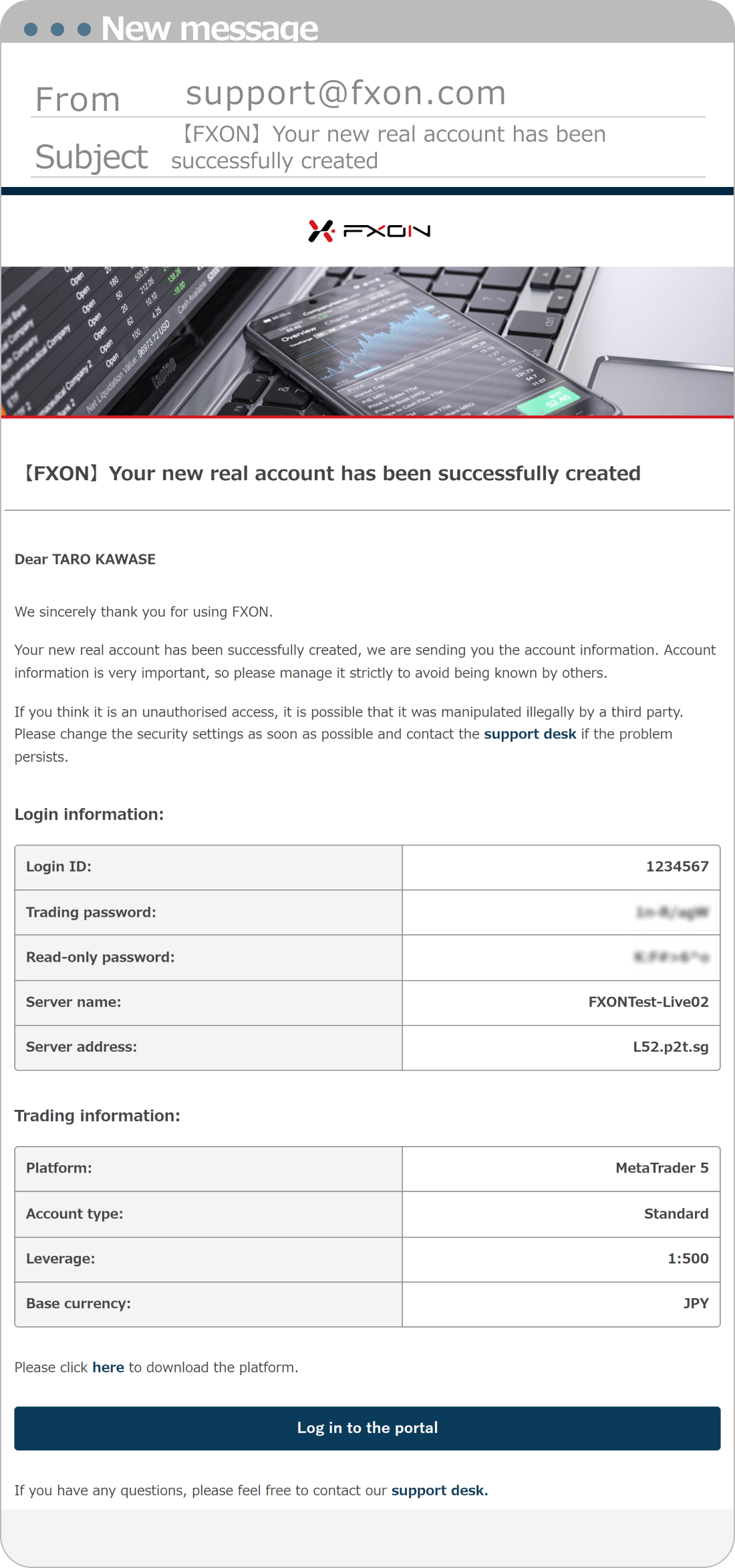
Usually, after about an hour (during business hours), your account information will be sent to your registered email address after the review process is completed.
For a demo account, it will be opened immediately after your application is submitted.
Subject:【FXON】Your new/additional real account has been successfully created.
Subject:【FXON】Your new/additional demo account has been successfully created.
Notice
There are two types of passwords: "Master password" and "Read-only password." You can log in using either password. Please use your "Master password" when you actually trade.
Please refer to the URL befow for the difference between master passwords and read-only passwords.
There are two types of passwords: "Master password" and "Read-only password." You can log in using either password. Please use your "Master password" when you actually trade.
Please refer to the URL befow for the difference between master passwords and read-only passwords.